
works

Feeling the Fastlane

A haptics-centered VR education experience that uses Formula 1 pit-crew work to explore embodied training for coordinated, time-critical skills.

Client • 

Academic Captstone

Category • 

XR Design

Date • 

2026

Project Overview:

Feeling the Fastlane is a short VR education experience that asks how immersive technology can teach procedures through the body. Set within the world of Formula 1 pit crews, the project places learners inside a role-based training flow where they practice tool control, system calibration, and procedural verification through guided interactions, haptic feedback, and narrative context. The project uses F1 as a case study, but the larger goal is not motorsport fandom. It explores how VR can support high-risk, hard-to-access training environments where learners need safe repetition, immediate feedback, and a stronger sense of what correct action feels like.

My Role

Interaction Designer, XR Experience Designer

Duration

6 Months

Collaborators

Our Client

GameStop is a large retail brand best known for video games, consoles, and collectibles, with locations across the U.S. In addition to retail, some stores host community experiences such as Trading Card Game meetups and beginner-friendly play sessions. These events rely on staff facilitation and physical setup, which makes internal training and consistency a meaningful part of the customer experience.

Stakeholders

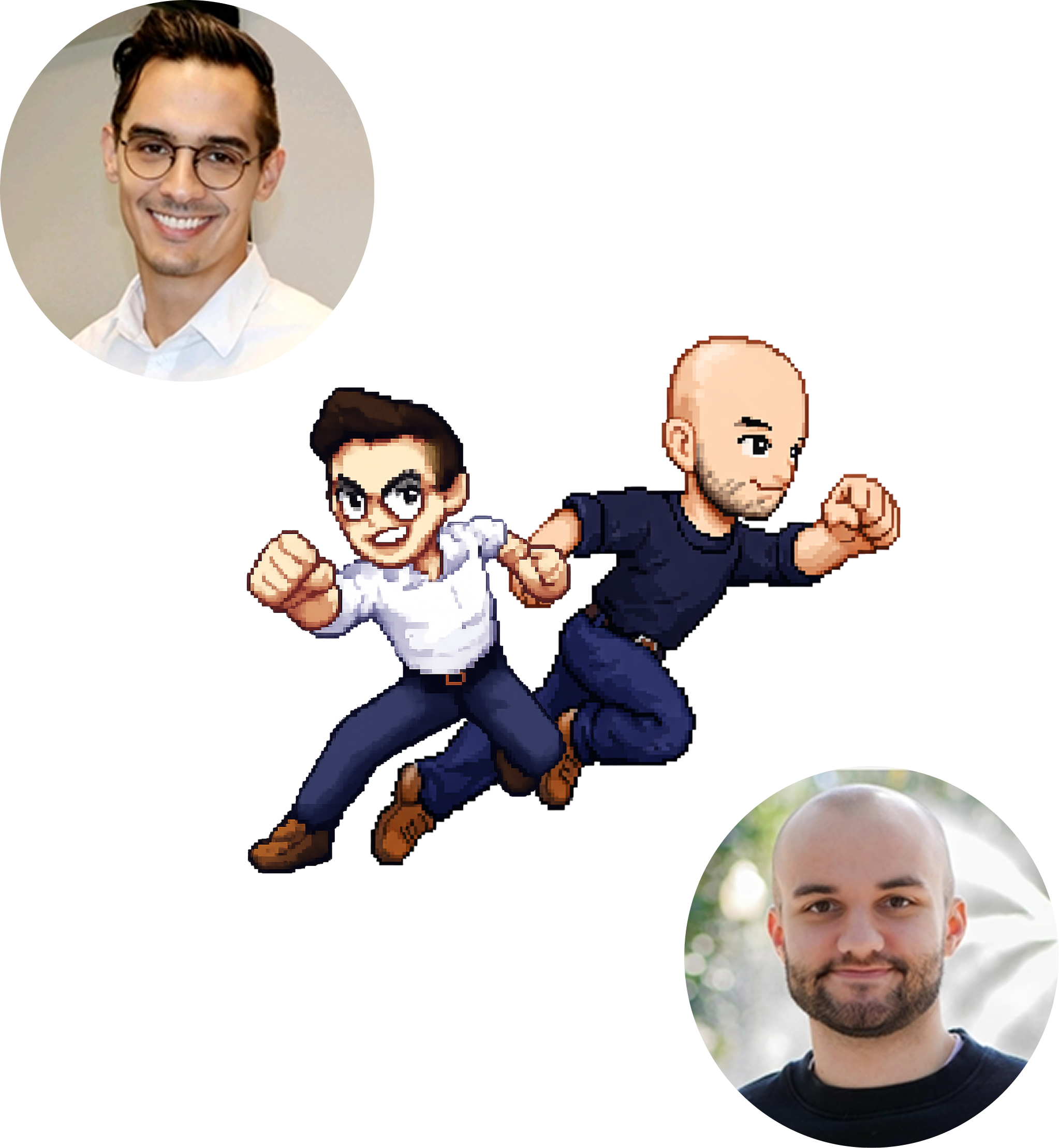
Devin connected the work to GameStop’s customer experience and brand standards, and provided ongoing guidance and feedback. As an SMC IxD alum, he also served as a helpful bridge between the academic context and real-world expectations.

Nick advised on how the concept could align with existing digital products and associate workflows.

Prototype task: Tire gun

Learning pattern: Tool use, alignment, tactile confirmation

Transfer: Surgical tools, repair tools, assembly work

Prototype task: Front wing adjustment

Learning pattern: Small physical adjustments with system-wide impact

Transfer: Machine tuning, equipment setup, wind turbine maintenance

Prototype task: Electronics reset

Learning pattern: Sequence, status checks, completion confirmation

Transfer: Emergency checklists, diagnostics, safety protocols

Research

Netnography

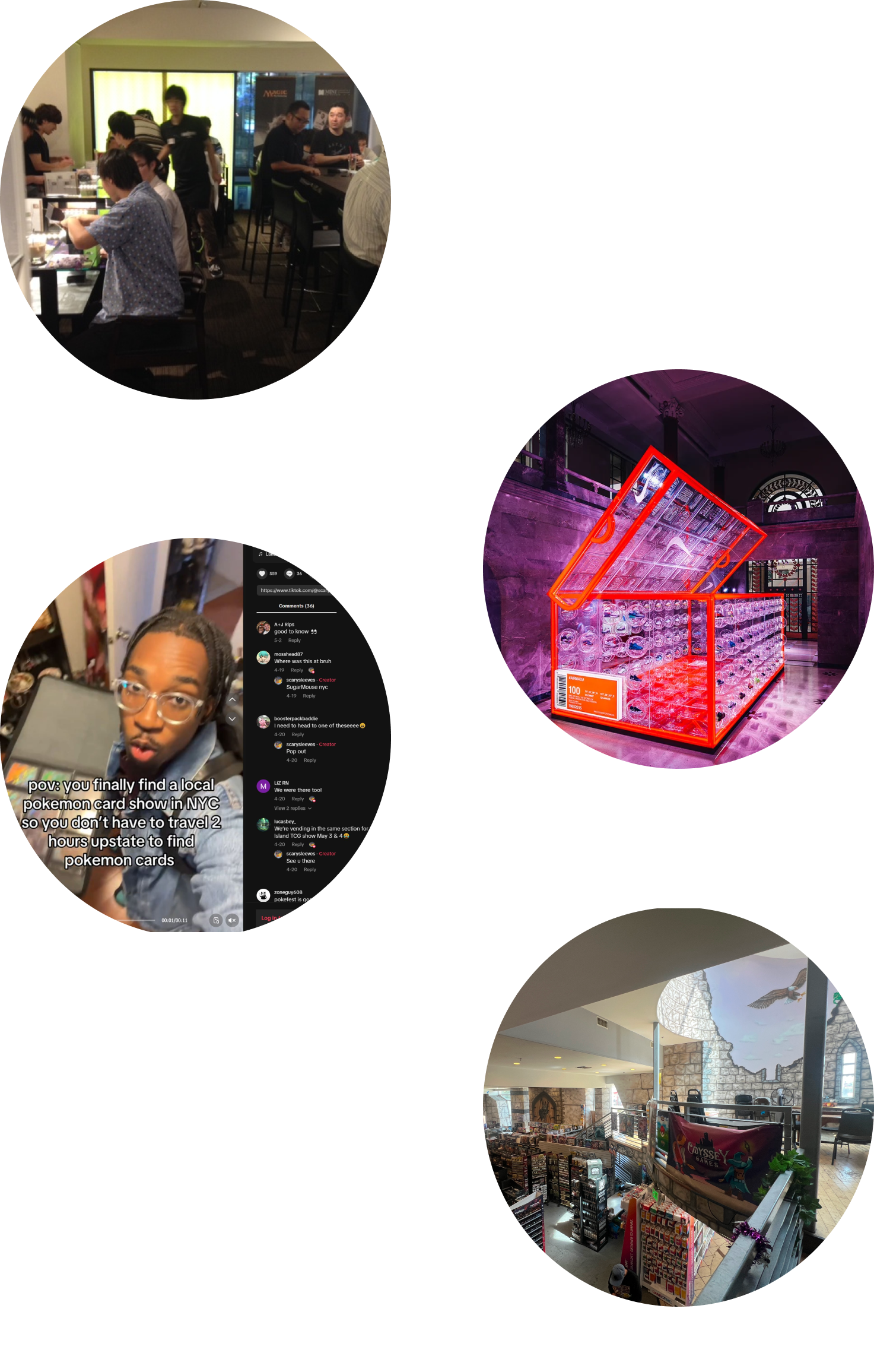
Netnography revealed a consistent tension: stores often optimize for fast transactions, while players need spaces that invite staying, learning, and returning. TCG communities grow through visibility, repetition, and shared ritual, so the environment has to make those behaviors feel natural. In hobby shops and pop-up formats, especially in Japan, that sense of “permission to stay” is often built into the space, while traditional retail layouts can unintentionally interrupt it.

To better understand that difference, we studied how physical environments shape behavior, emotion, and participation in retail and community settings. We focused on how layout, sound, lighting, and visibility influence whether people feel welcomed to linger or subtly pushed to move on. This work drew from servicescape theory, retail design research, and online observation of spaces where play, commerce, and community overlap.

Field Research

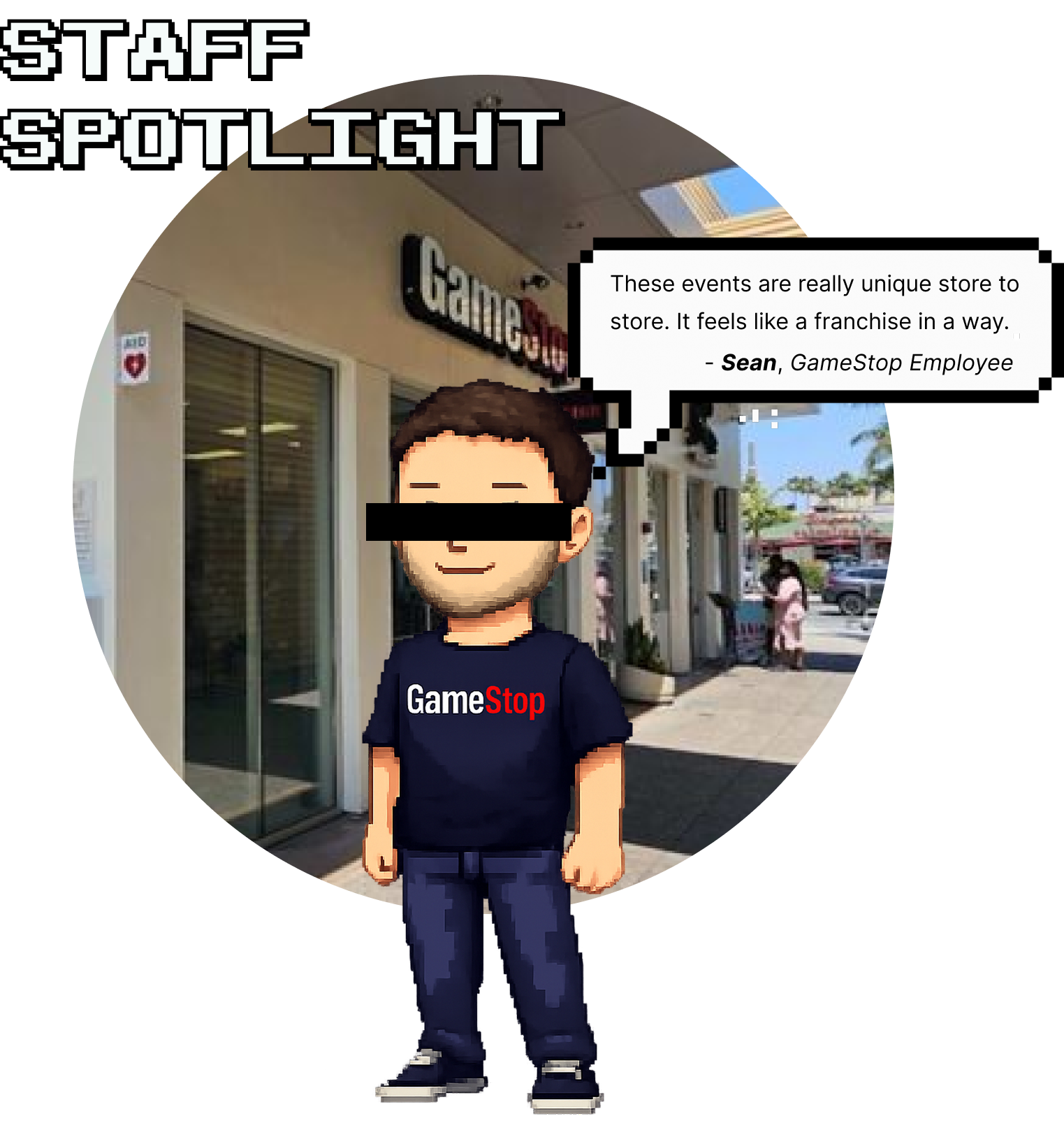
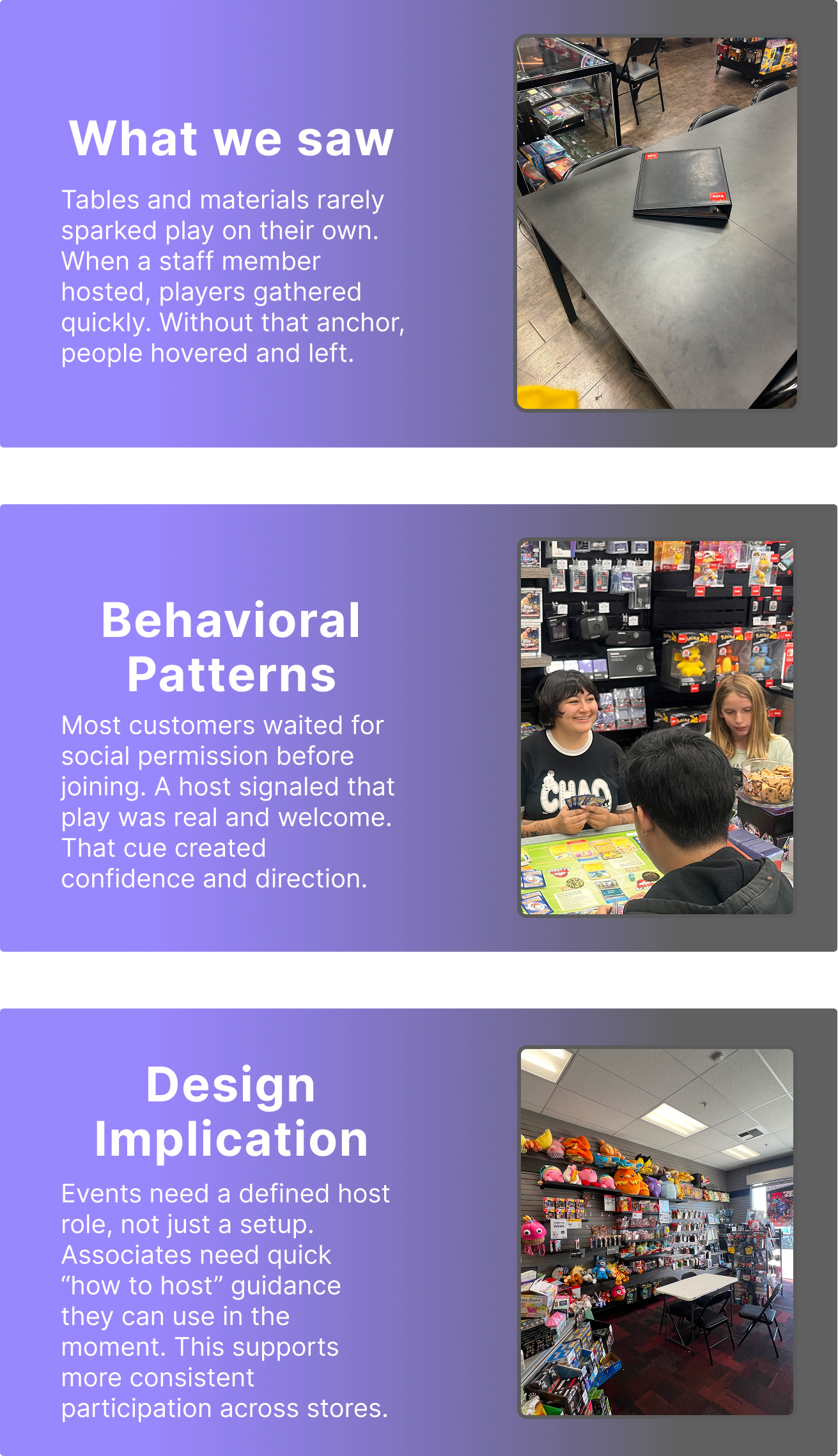
Field research showed that events often depended on employee initiative rather than a consistent system. Store space was frequently improvised, with single tables tucked into corners, shifting layouts, and unclear flow for spectators or newcomers. The atmosphere varied widely from store to store. In some locations, the event felt lively and obvious. In others, it was nearly invisible unless you already knew it was happening.

We also noticed that participation hinged less on the table setup itself and more on facilitation. Customers showed strong affinity for staff, but expressed limited attachment to the GameStop brand. Tables and materials helped, but customers only committed when a staff member clearly signaled that play was active, guided what to do next, and welcomed newcomers into the space.

The Big Idea

We sought out to standardize employee education for event procedures & setups so that associates of any level can run consistently great events without needing to rely solely on improvisation.

Key Insights

Discovery

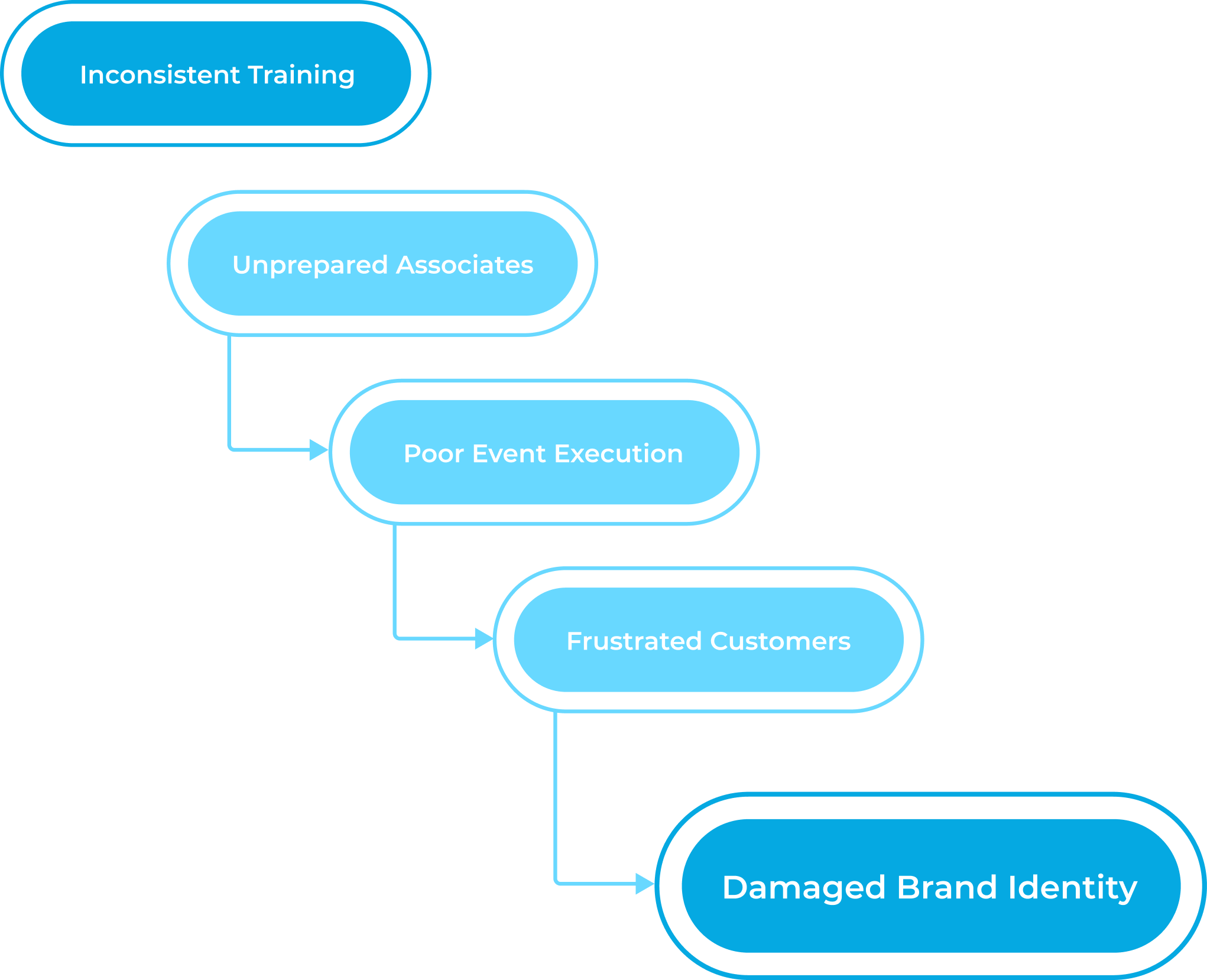
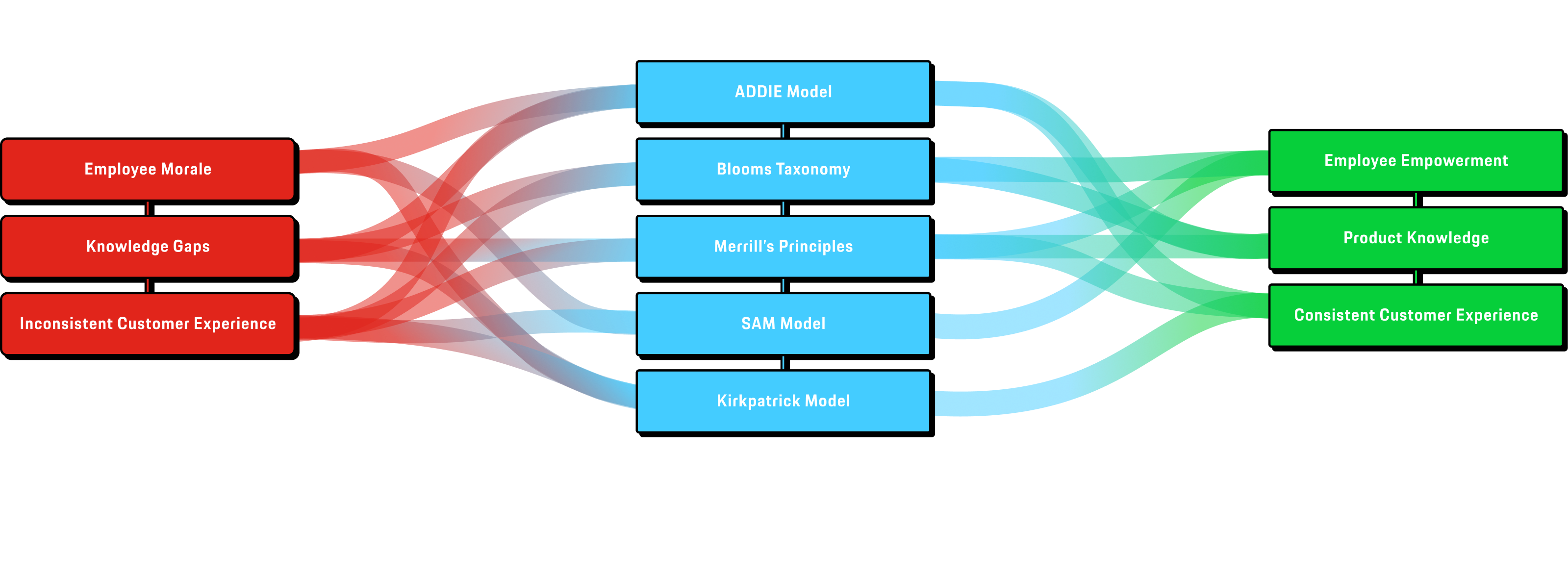
Through our research we discovered a cascading effect that ultimately taints GameStop’s brand identity.

To prevent this, we will focus on the needs of the employee to provide a systematic approach to upskilling.

Subject Matter Experts

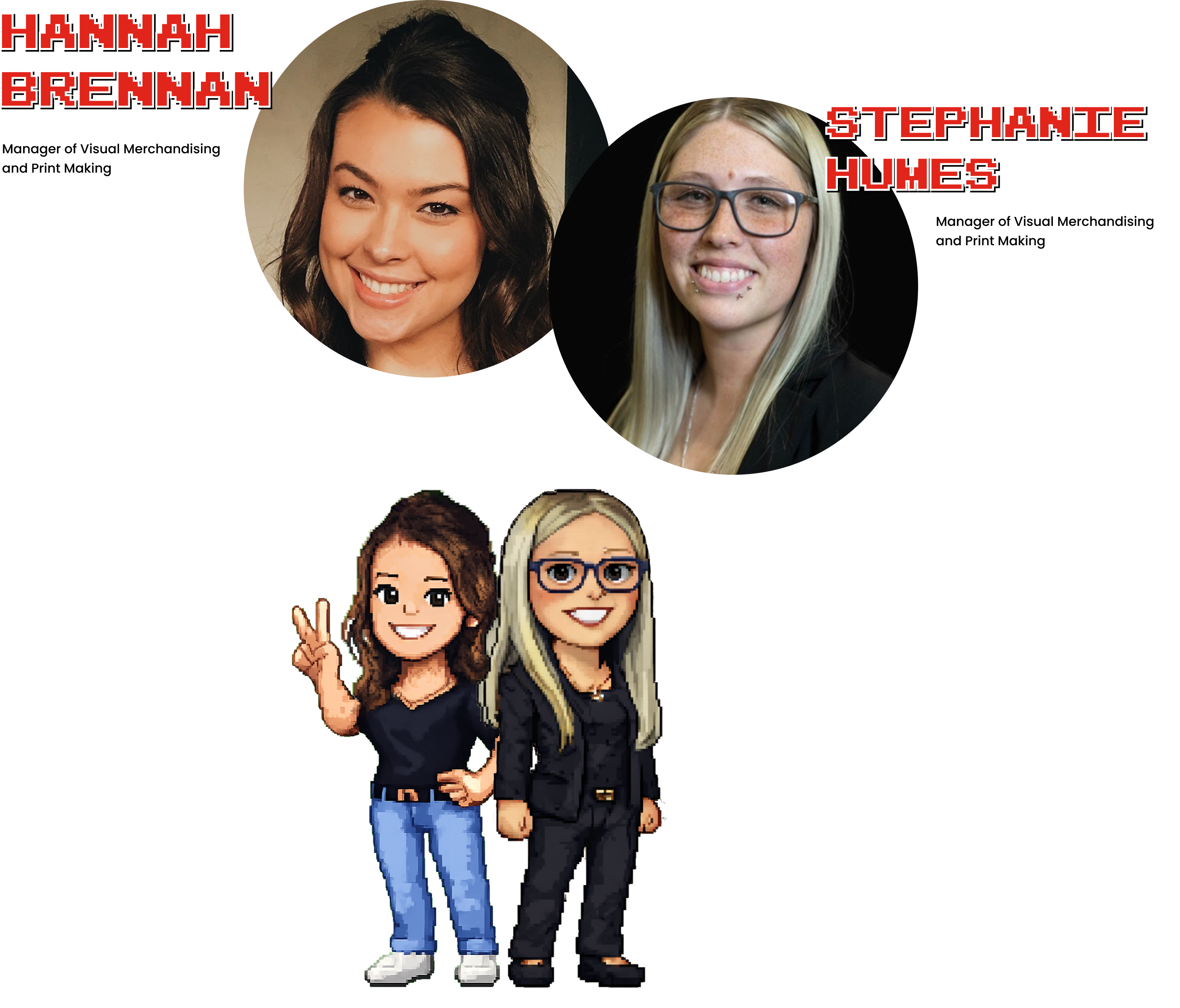
Hannah & Stephanie

Hannah grounded our work in the realities of store space. She highlighted how much layouts vary and what can’t be moved, including ADA requirements, shelving, and signage. Her input mattered because it pushed us to design space planning that adapts to each store instead of assuming an “ideal” setup.

Stephanie gave us the operational view of how associates actually receive and use training. With 10+ years at GameStop, she walked us through a sample module in the employee dashboard and explained how information is passed down across stores. Her insight reinforced a key constraint for our prototype: guidance has to be easy to find, quick to absorb, and usable mid-shift.

Quotes
“Our stores are One in a million...
They're all different snowflakes.” - Hannah
(on event consistency across stores)
“It depends on the manager” - Stephanie

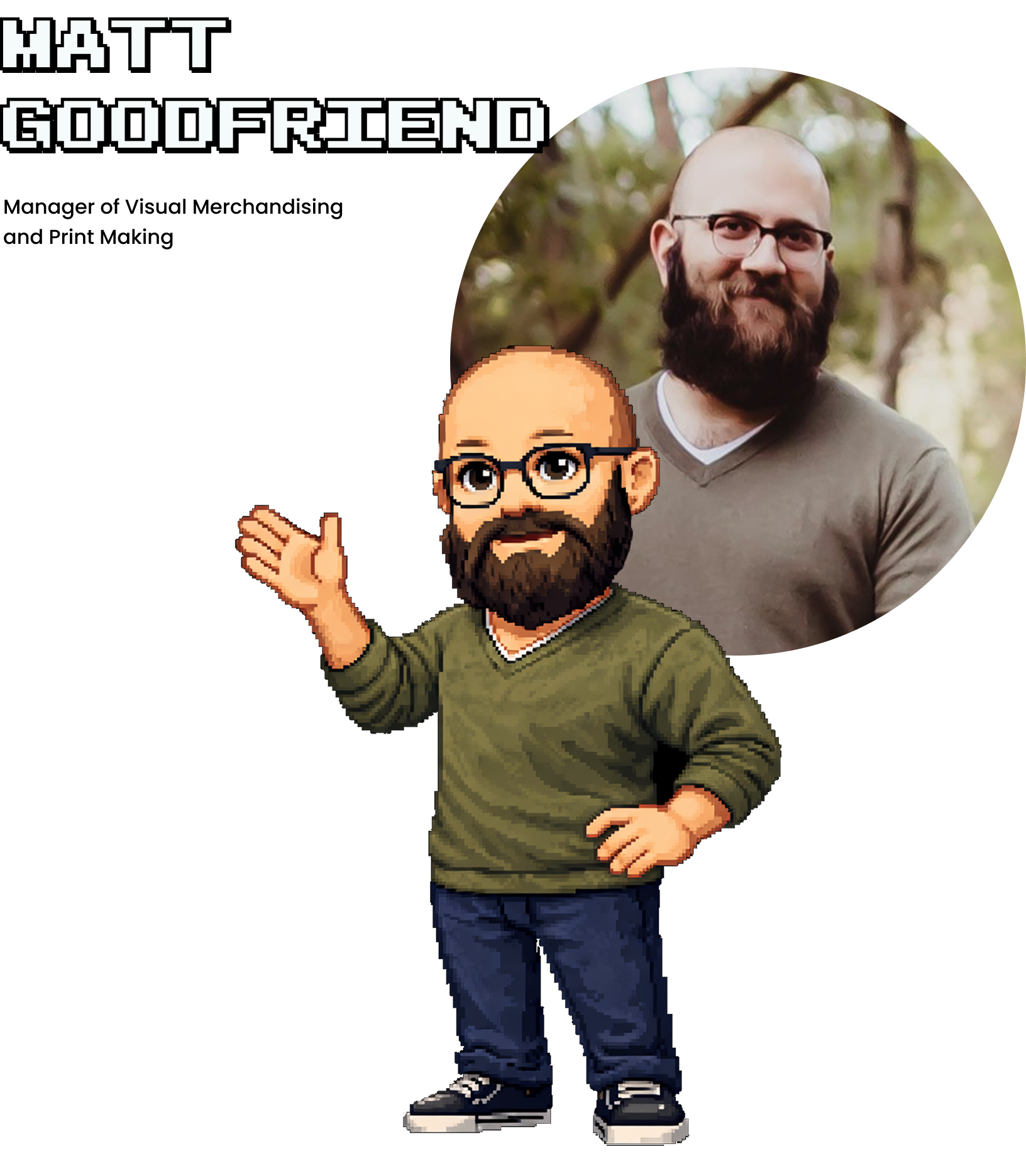
Matt Goodfriend

Matt helped us frame the prototype as a learning experience, not just a set of instructions. He guided how we structured the module so associates could move from understanding to action, using clear objectives, examples, and practice moments. His input mattered because it kept the training focused on real performance on shift, not just information delivery.

Quote
“Training should reflect who we are,
not just information.” - Matt

Insight Journey

What's the big idea?

Standardizing instruction for event procedures & setups so that GS employees can run consistently great events without needing to rely solely on improvisation

Drafting

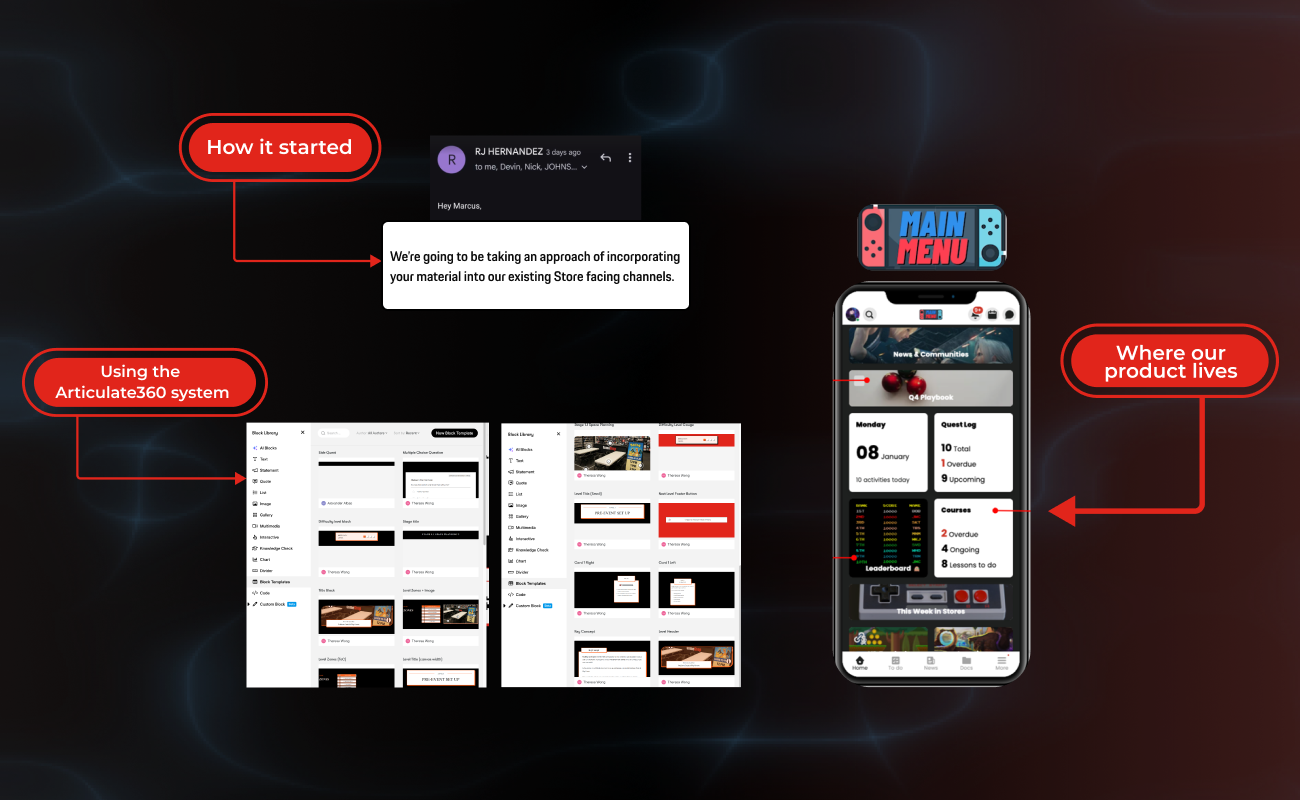
We began by drafting the training experience in Figma. That early prototype helped us quickly test the structure, tone, and flow before committing to a full build. During review, we were told the draft was strong enough that GameStop planned to include most of it in their internal education testing. That feedback shifted the stakes for us. It also made it clear that if we wanted the work to be usable inside their ecosystem, we needed to build it in the format their teams actually prefer.

That is what pushed us to move from a Figma draft into Articulate360. We treated the transition as part of the design work, not just a handoff. We adapted our screens into a real module build, tightened pacing, and leaned into interaction patterns that Articulate supports well. Learning a new tool mid-project was a challenge, but it made the prototype feel more realistic and closer to how training could live within Main Menu.

Final Product

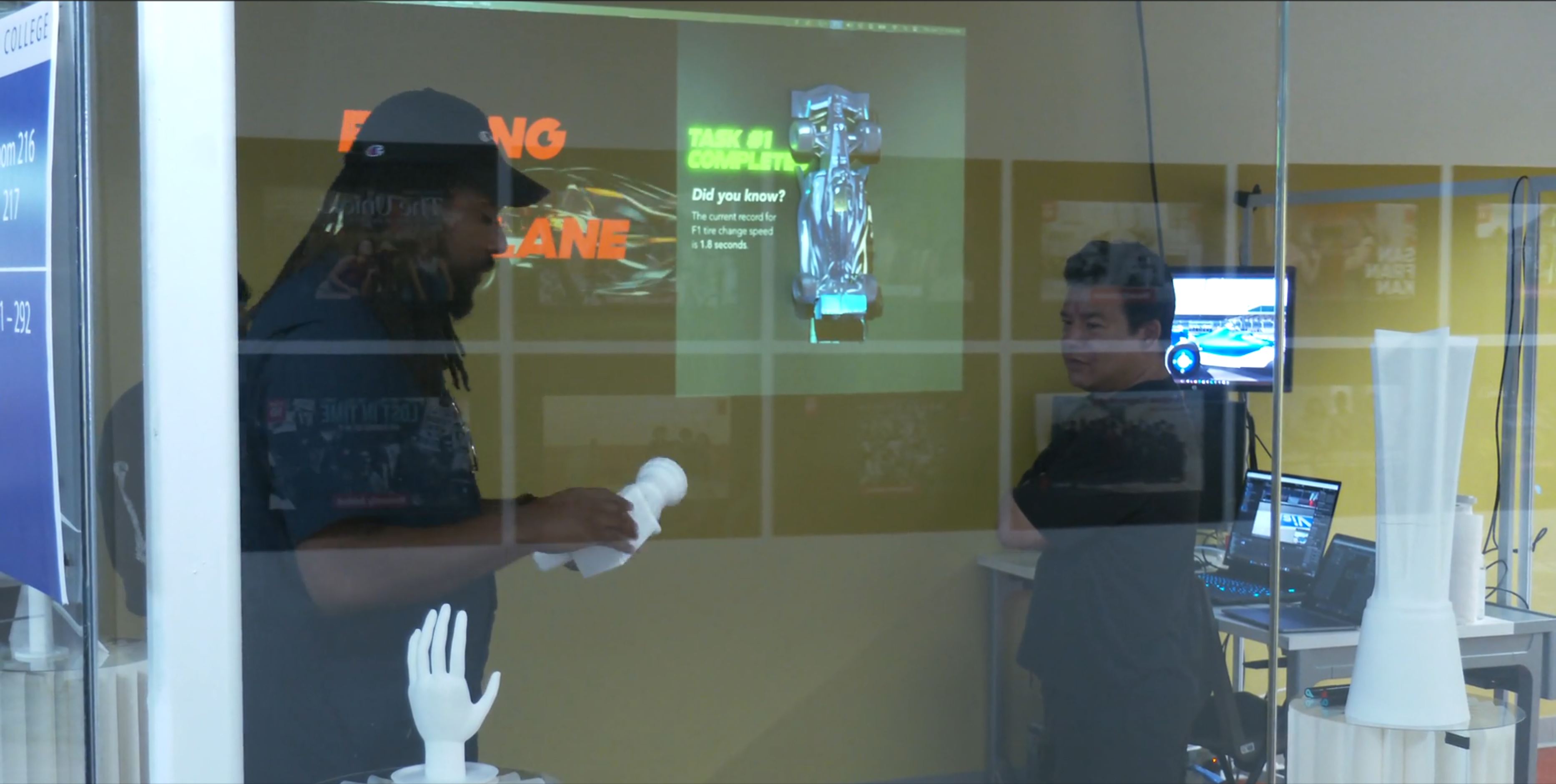
Because VR can isolate the person inside the headset, I also designed supporting exhibition elements to make the experience understandable from the outside. Physical artifacts, signage, and projected visuals help visitors understand the project even when they are not the person actively playing.

The exhibition extends the thesis beyond the headset. The model car, haptic glove display, wheel gun, trophy, and wind turbine artifact each help explain a different part of the project: emotional context, tactile learning, tool interaction, audience participation, and future applications beyond motorsport.

CHECKPOINTSSpacePlanningDragAndDrop
Click here to try out our prototype

Feedback

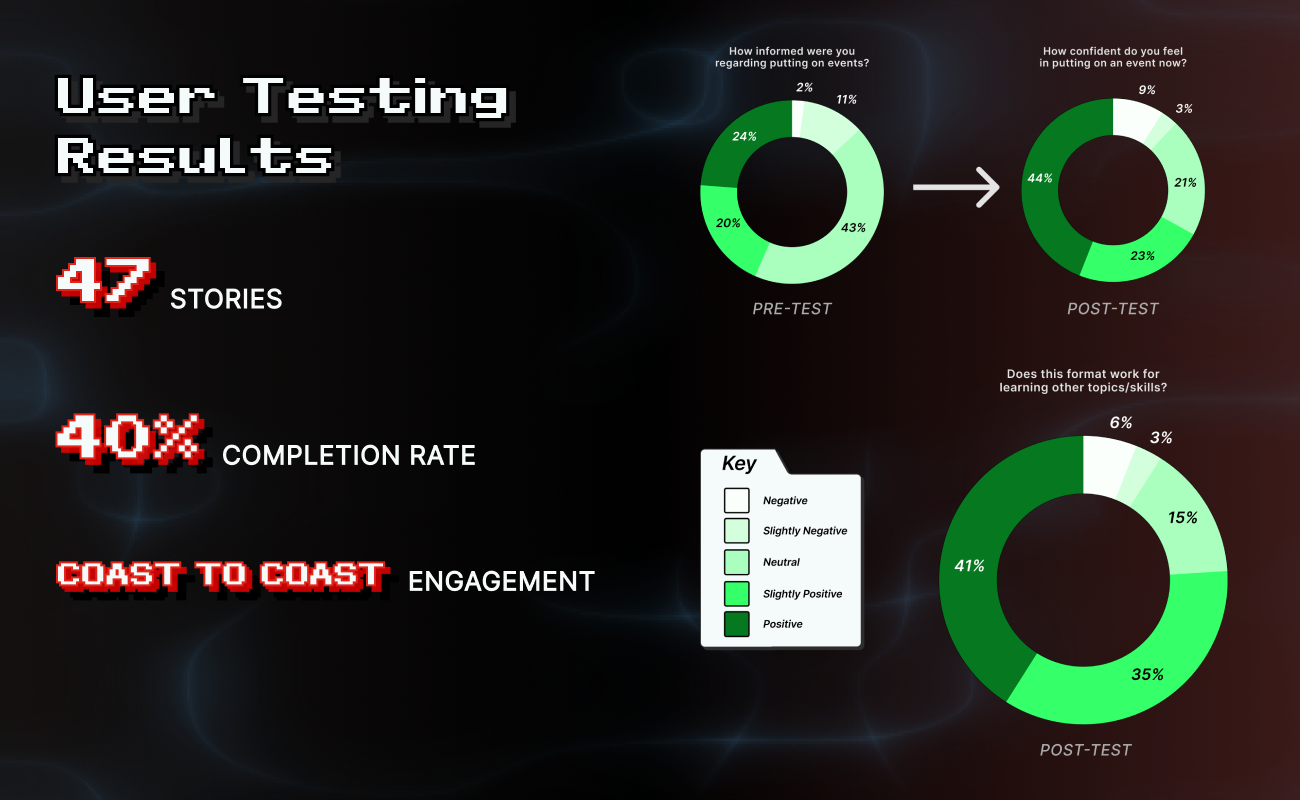
Testing occurred over the span of three days at a 40% completion rate (the norm for GS is 45% in two weeks), in three regions. A total of 47 associates participated in the test.

The results showed clear confidence growth after associates explored the Employee Playbook module, with sentiment shifting more positive overall. A meaningful portion (~45%) still stayed neutral, which signaled the need for more personalized and hands-on support in future iterations of the module.

Reflections

Feeling the Fastlane pushed me to think about VR less as a novelty and more as a learning medium. The hardest part was balancing excitement with clarity. Formula 1 brings energy, pressure, and spectacle, but the experience only works if the learner understands what they are practicing and why it matters.

I learned that haptics are most powerful when they are intentional. Constant feedback can become noise, but targeted feedback can help a learner recognize contact, correction, and completion. I also learned that good simulation design is not about copying reality exactly. It is about preserving the right learning pattern.

This project helped me connect many parts of my practice: XR, game design, motion, storytelling, physical interaction, and education. More importantly, it clarified the kind of immersive technology I care about building. I am interested in XR that does more than impress people. I want to build experiences that help people rehearse, understand, and feel their way into new capabilities.

works

Feeling the Fastlane

A haptics-centered VR education experience that uses Formula 1 pit-crew work to explore embodied training for coordinated, time-critical skills.

Client • 

Academic Captstone

Category • 

XR Design

Date • 

2026

Project Overview:

Feeling the Fastlane is a short VR education experience that asks how immersive technology can teach procedures through the body. Set within the world of Formula 1 pit crews, the project places learners inside a role-based training flow where they practice tool control, system calibration, and procedural verification through guided interactions, haptic feedback, and narrative context. The project uses F1 as a case study, but the larger goal is not motorsport fandom. It explores how VR can support high-risk, hard-to-access training environments where learners need safe repetition, immediate feedback, and a stronger sense of what correct action feels like.

My Role

Interaction Designer, XR Experience Designer

Duration

6 Months

Project Context

This project was developed as my senior capstone in Interaction Design. As the solo designer, I was responsible for the concept, research framing, interaction design, learning structure, visual direction, storytelling, exhibition planning, and prototype development.

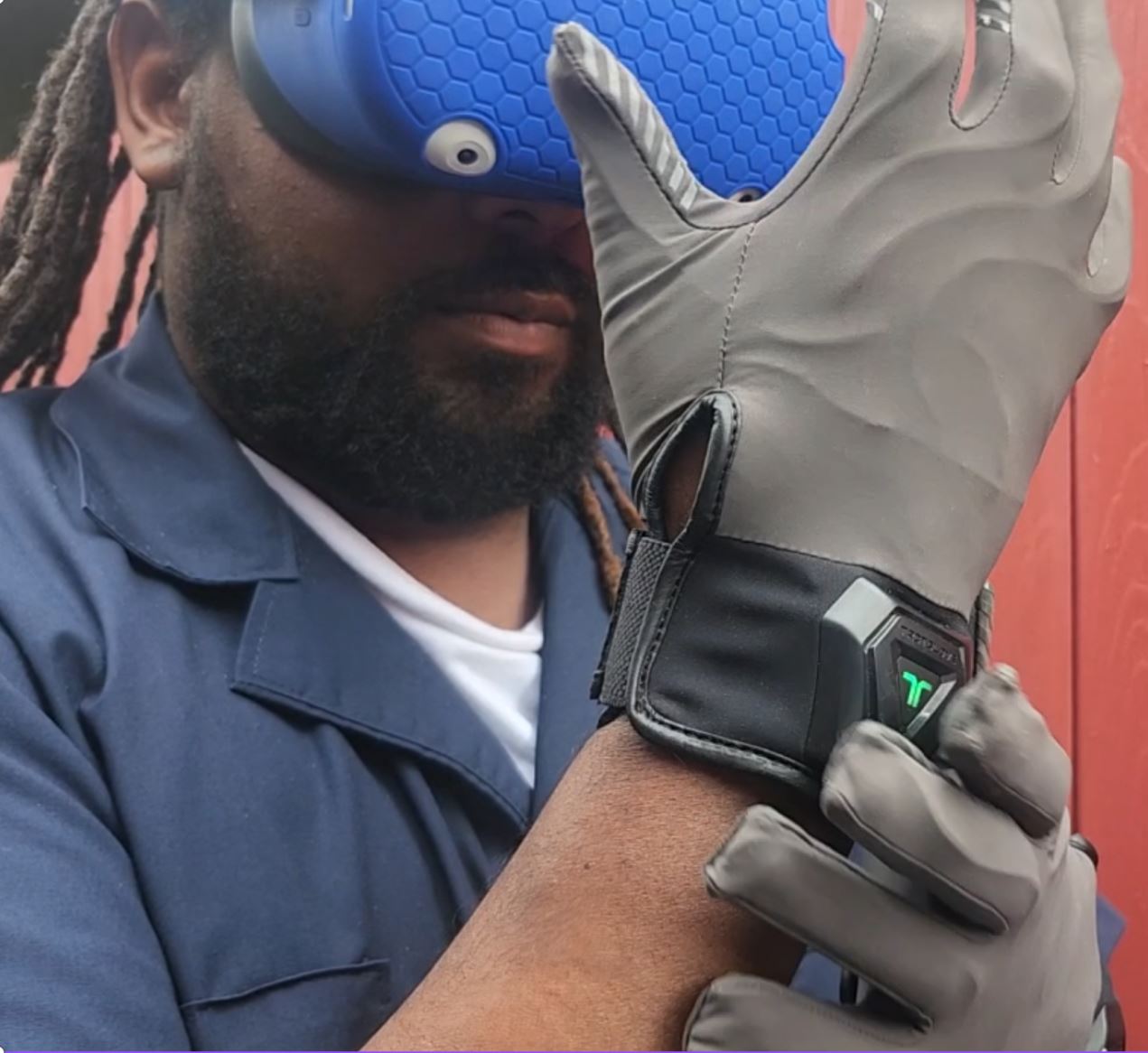
Trying on the TactGlove DK2 haptic gloves in-headset

The project brought together several parts of my design practice: XR, game design, motion, physical interaction, storytelling, and educational design. Because the final piece had to work both as a headset experience and as an exhibition project, I designed it as a system of connected touchpoints rather than a standalone VR demo.

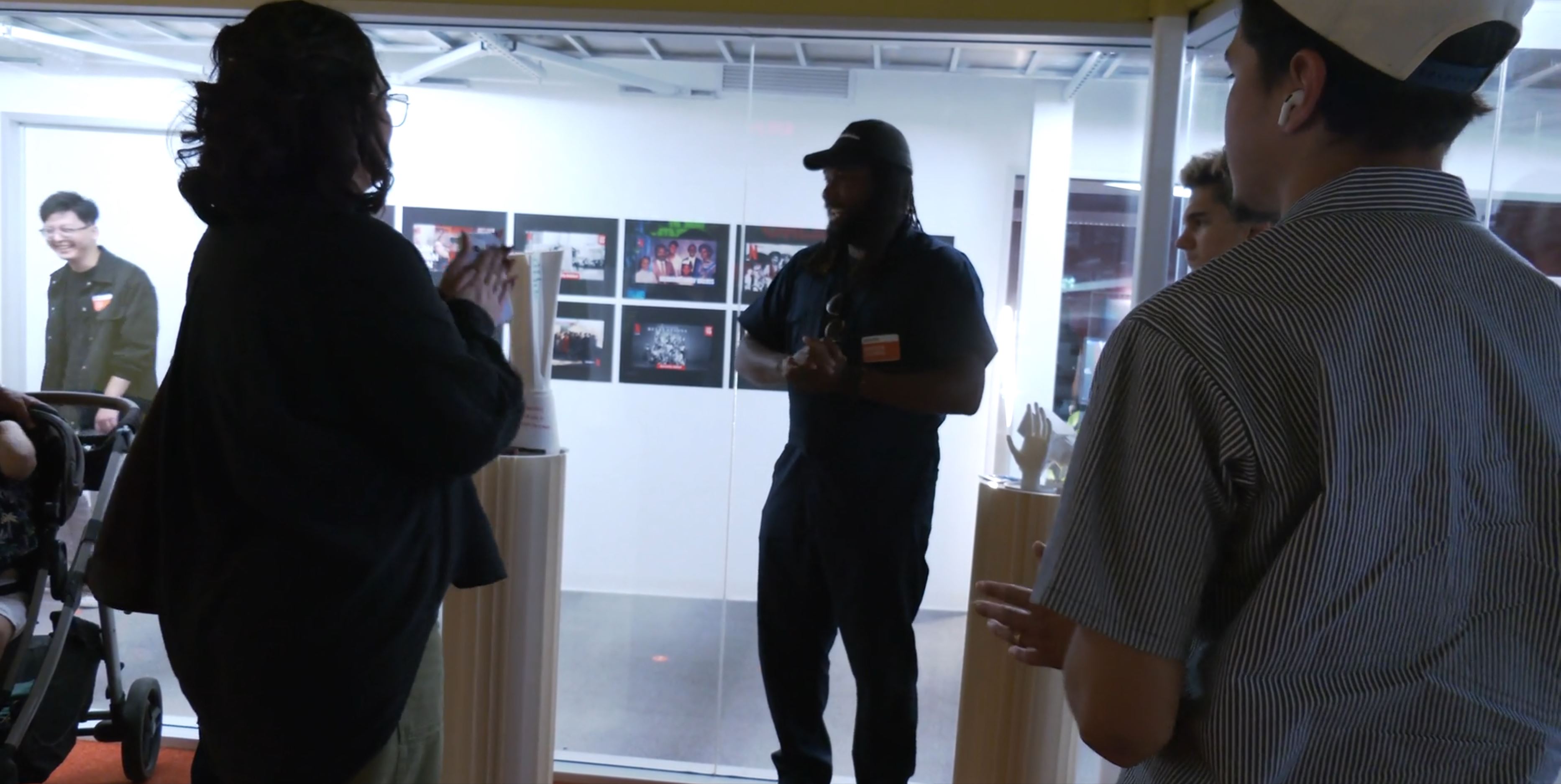
Presenting my project at the senior grad show

How might We...

design a game that tests players abilities to navigate cross-cultural communication through different scenarios?

Research Methods

To further solidify our understanding of intercultural communication and how games could possibly be used as a medium for addressing the friction that it caused in a more focused product, we underwent using research methods such as: mind mapping, insight sorting, and from-to exploration. ‍

With the team also performing competitive analyses on games (the most informative of which will be mentioned below), we were also able to develop a matrix that compared how games created decision-experiences to more clearly understand how we wanted to represent Bridge to Kultur (as well as discover how it would play).

Making the game

Game Narrative

At the heart of Bridge to Kultur is a world fractured by history, scarcity, and cultural divergence. Rather than casting players as conquerors or traders, the narrative invites them to step into the roles of diplomats. Individuals tasked with navigating trust, survival, and identity in a land on the brink of collapse.

Each of the four nations—Fire, Water, Earth, and Air—possesses its own worldview, aesthetic, and moral compass. Through branching scenarios, faction-based dilemmas, and evolving trust dynamics, the narrative challenges players not only to survive a looming Calamity, but to wrestle with the social and political costs of doing so. This isn't just a story players observe, but one that they co-author with every scenario they encounter, every alliance they build, and every bridge they dare—or refuse—to cross.

System Design

Creating the mechanics for Bridge to Kultur meant balancing narrative depth with strategic clarity. From the start, our goal was to design a system that encouraged meaningful choices, personal agency, and diplomatic tension—while staying intuitive enough to support both analog and digital components. The mechanics evolved through multiple iterations, each one bringing us closer to a structure that supports individual storytelling within a shared world. As someone who has been playing games for as long as they can remember, having the opportunity to design the mechanics and flow of the game was an exciting and complex challenge for me.

Prototype task: Tire gun

Learning pattern: Tool use, alignment, tactile confirmation

Transfer: Surgical tools, repair tools, assembly work

Prototype task: Front wing adjustment

Learning pattern: Small physical adjustments with system-wide impact

Transfer: Machine tuning, equipment setup, wind turbine maintenance

Prototype task: Electronics reset

Learning pattern: Sequence, status checks, completion confirmation

Transfer: Emergency checklists, diagnostics, safety protocols

Product Concept Sketching

Haptics were treated as feedback, not decoration. Instead of using vibration constantly, the experience uses tactile cues at key moments: contact, alignment, confirmation, and completion. For the tire gun task, haptics reinforce tool engagement. For the front wing, feedback supports the feeling of adjustment. For the electronics reset, tactile and audiovisual cues help confirm that the sequence has been completed. The goal was not to perfectly recreate professional pit-crew work. The goal was to help learners understand what correctness feels like inside a simplified procedure.

Prototyping

Physical Components

Because VR can isolate the person inside the headset, I also designed supporting exhibition elements to make the experience understandable from the outside. Physical artifacts, signage, and projected visuals help visitors understand the project even when they are not the person actively playing.

The exhibition extends the thesis beyond the headset. The model car, haptic glove display, wheel gun, trophy, and wind turbine artifact each help explain a different part of the project: emotional context, tactile learning, tool interaction, audience participation, and future applications beyond motorsport.

Digital Component

The 360 videos act as immersive learning interstitials. They are not just cutscenes. Each one introduces or reframes a learning concept before the next interaction.

The intro video explains that some skills cannot be learned by watching alone. The feedback video connects the tire gun task to multisensory learning. The coordination video zooms out from individual action to larger systems of roles, timing, and verification. The outro returns to the project’s larger thesis.

Because the videos needed to be fast and readable in VR, I designed them as spatial learning panels: main content in front, supporting examples on the sides, and atmosphere in the surrounding space.

User Testing

Because VR can isolate the person inside the headset, I also designed supporting exhibition elements to make the experience understandable from the outside. Physical artifacts, signage, and projected visuals help visitors understand the project even when they are not the person actively playing.

The exhibition extends the thesis beyond the headset. The model car, haptic glove display, wheel gun, trophy, and wind turbine artifact each help explain a different part of the project: emotional context, tactile learning, tool interaction, audience participation, and future applications beyond motorsport.

Final Product

The 360 videos act as immersive learning interstitials. They are not just cutscenes. Each one introduces or reframes a learning concept before the next interaction.

The intro video explains that some skills cannot be learned by watching alone. The feedback video connects the tire gun task to multisensory learning. The coordination video zooms out from individual action to larger systems of roles, timing, and verification. The outro returns to the project’s larger thesis.

Because the videos needed to be fast and readable in VR, I designed them as spatial learning panels: main content in front, supporting examples on the sides, and atmosphere in the surrounding space.

Digital Demo Experience

Game On

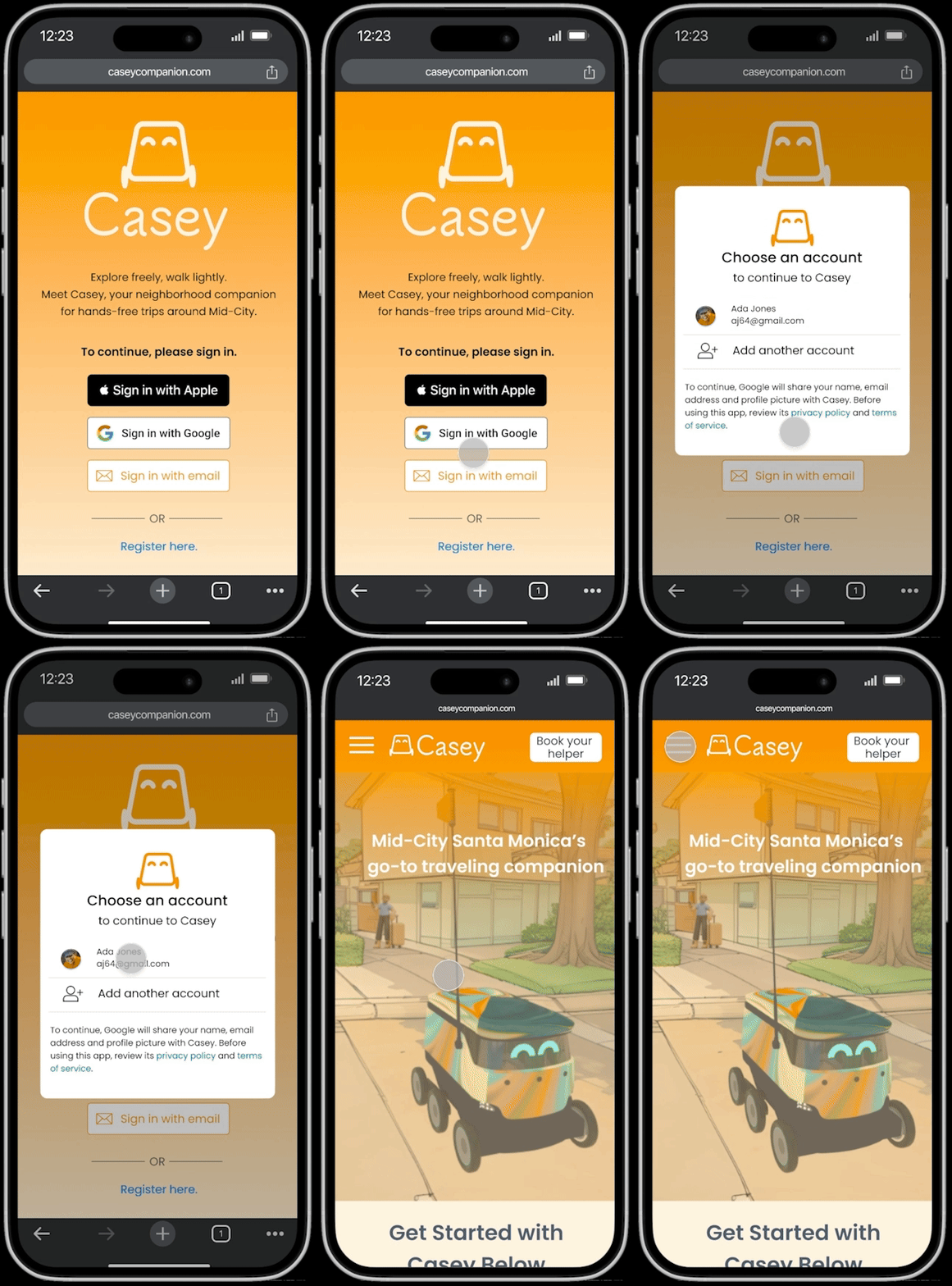
Sign-In Screen.pngGIF - Sign in.gif
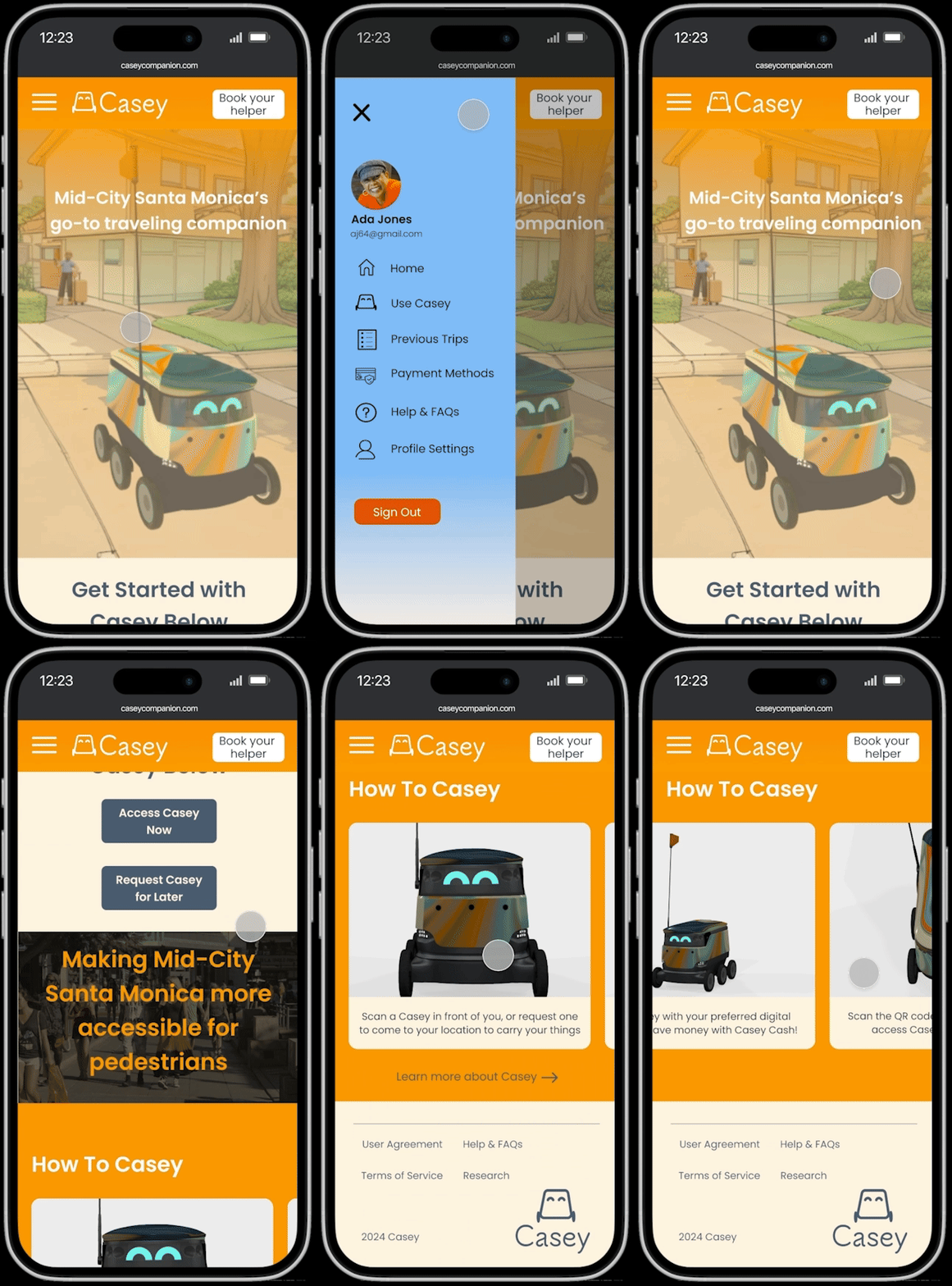
Main Menu.pngGIF - Main Menu.gif
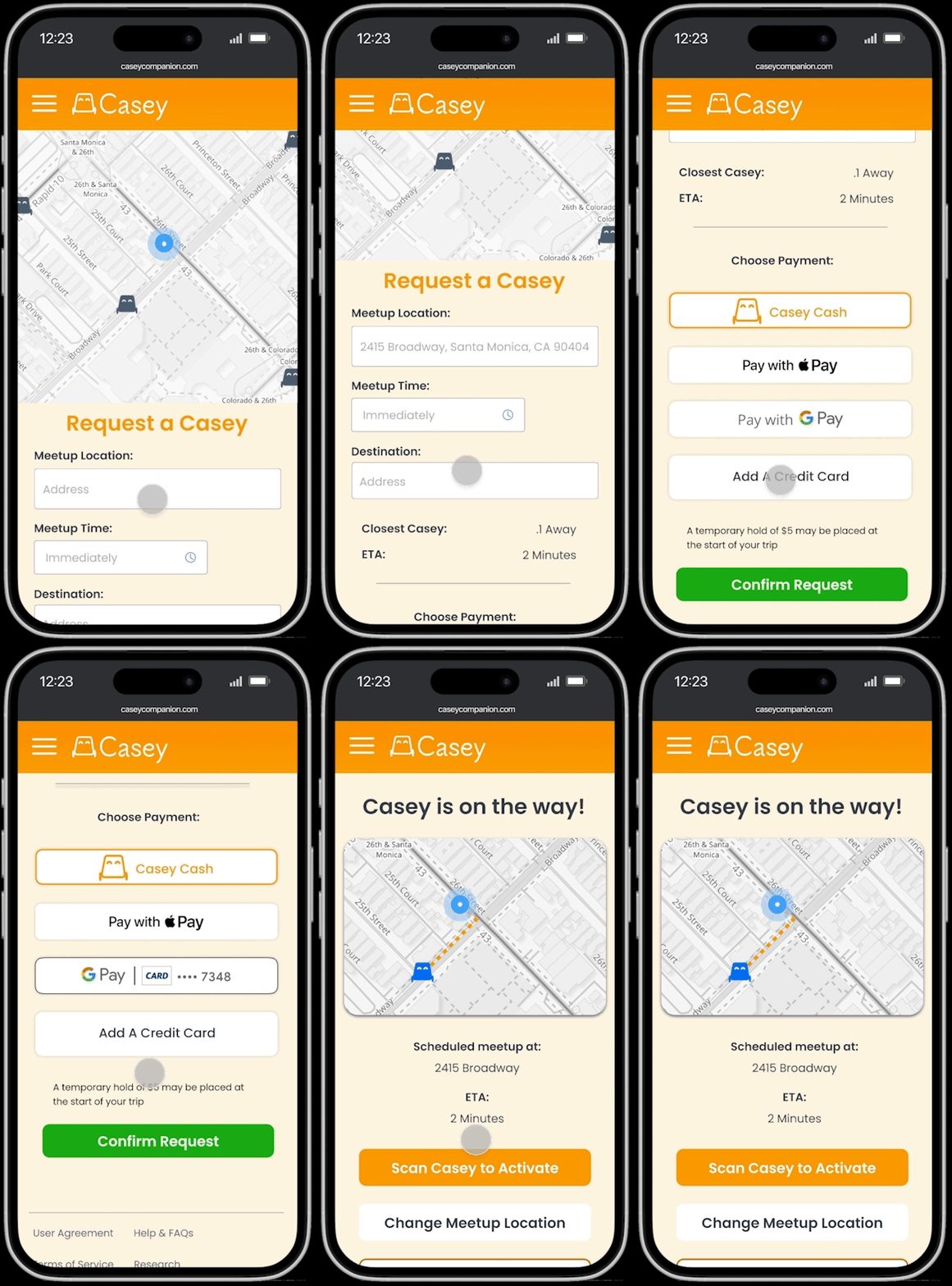
Order a Casey.pngGIF - Order Casey.gif
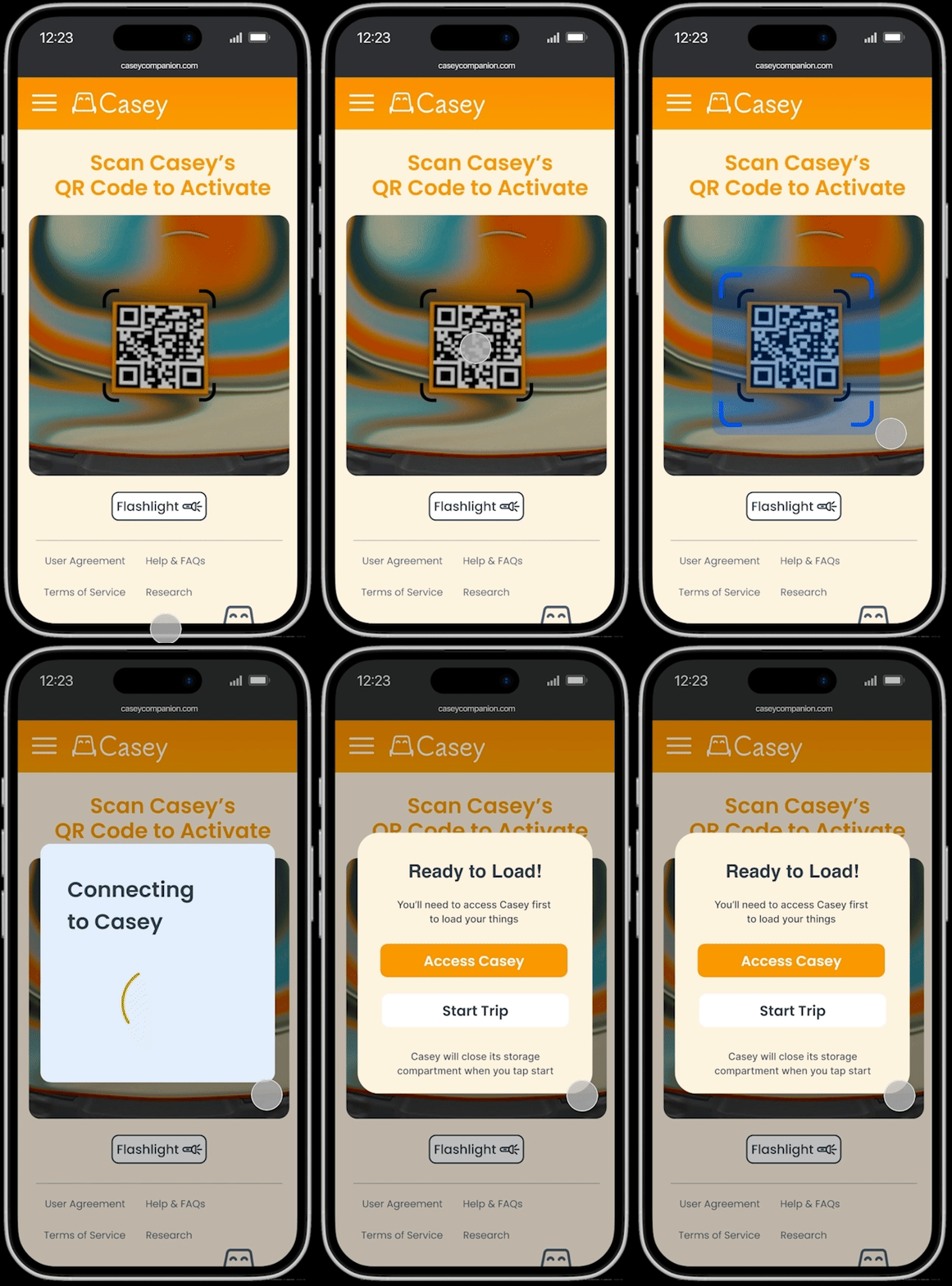
Scan to Activate Casey.pngGIF - Scan to Open.gif
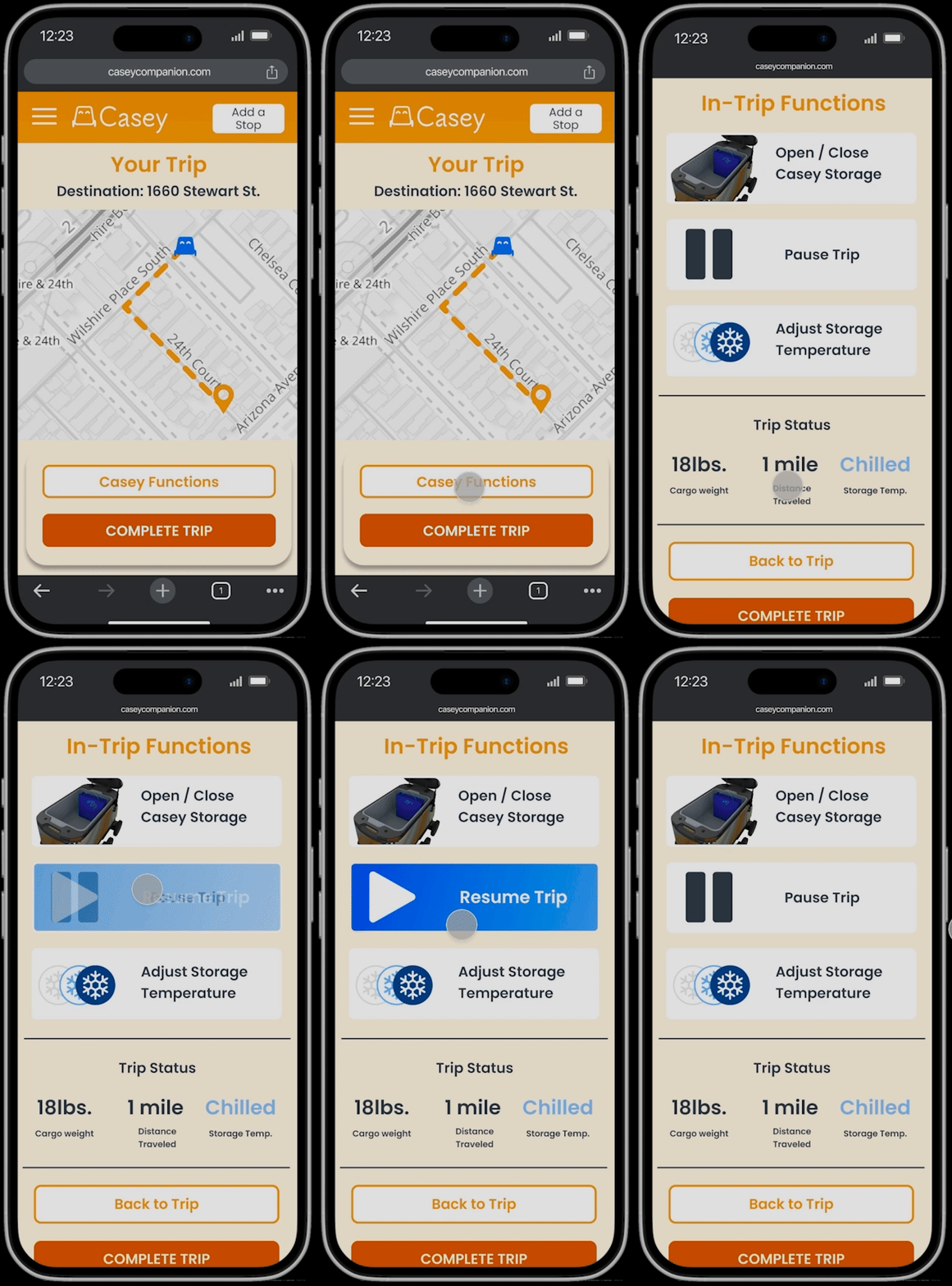
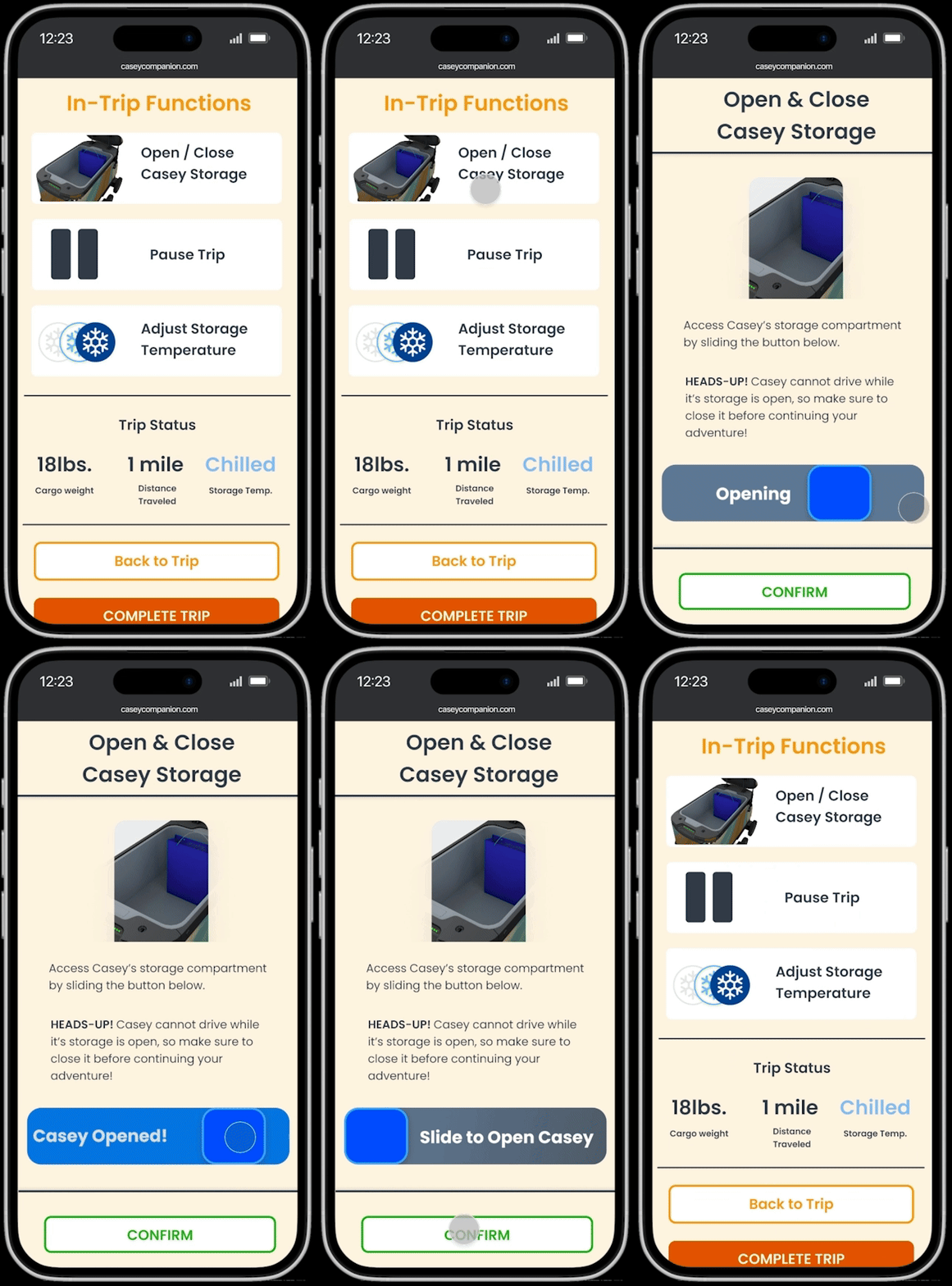
In-Trip Functions (Pause Trip).pngGIF - InTrip Functions Pause.gif
In-Trip Functions (Open Casey).pngGIF - InTrip Functions Open Casey.gif
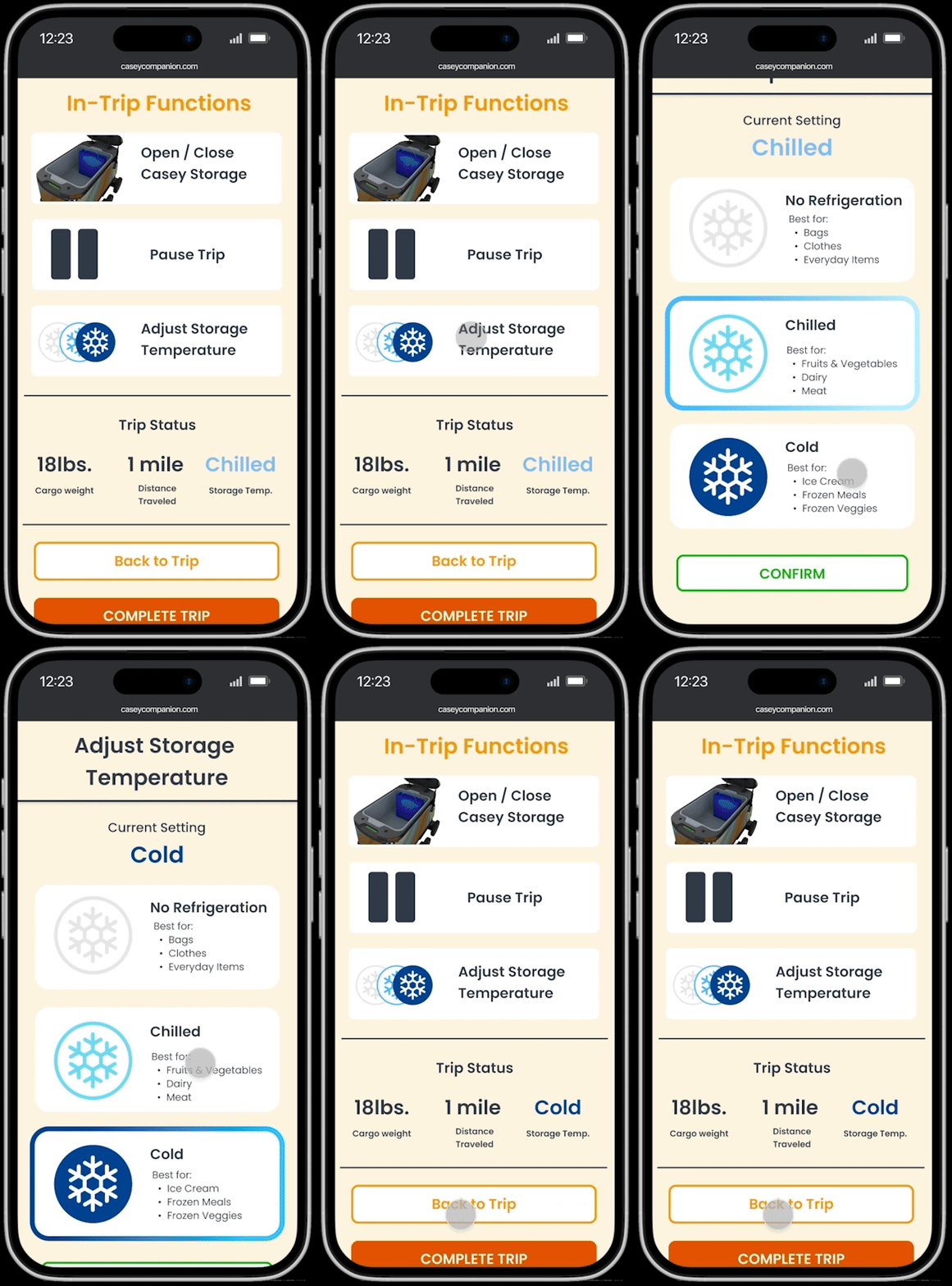
In-Trip Functions (Adjust Temp).pngGIF - In Trip Functions Adjust Temp.gif
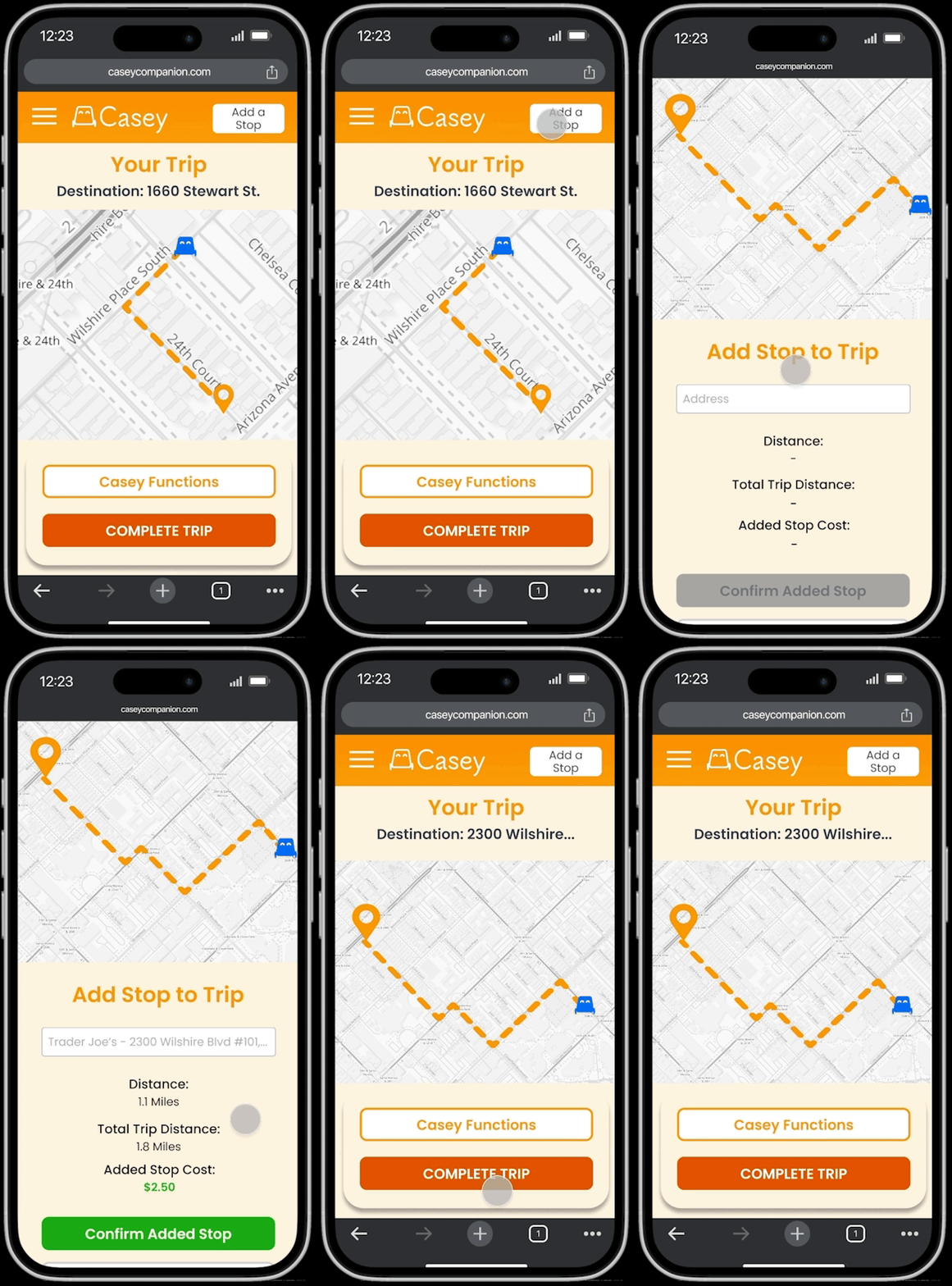
Add a Stop to Trip.pngGIF - Add a Stop.gif
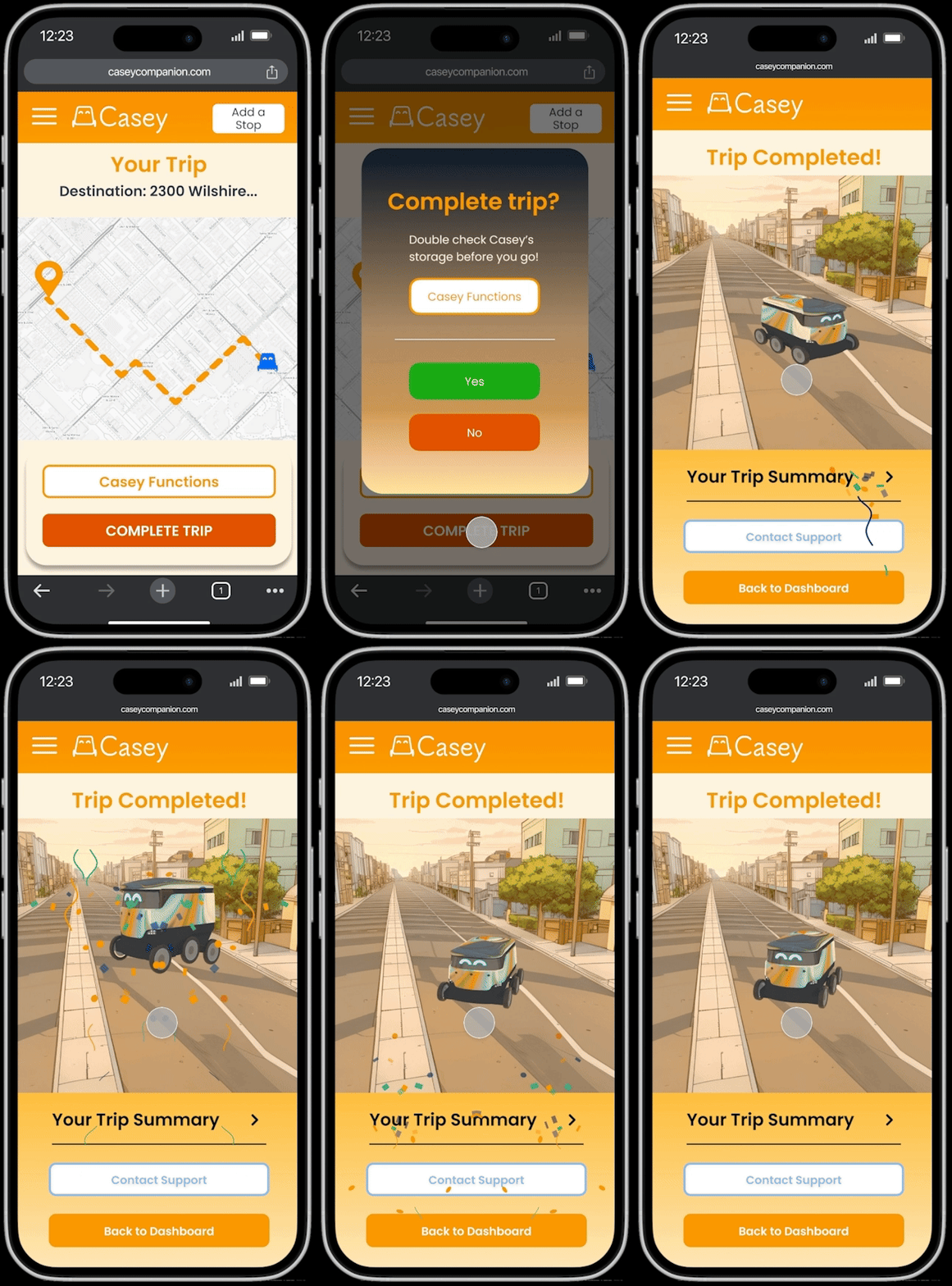
GIF - Complete Trip.gifTrip Complete!.png

Reflections

Feeling the Fastlane pushed me to think about VR less as a novelty and more as a learning medium. The hardest part was balancing excitement with clarity. Formula 1 brings energy, pressure, and spectacle, but the experience only works if the learner understands what they are practicing and why it matters.

I learned that haptics are most powerful when they are intentional. Constant feedback can become noise, but targeted feedback can help a learner recognize contact, correction, and completion. I also learned that good simulation design is not about copying reality exactly. It is about preserving the right learning pattern.

This project helped me connect many parts of my practice: XR, game design, motion, storytelling, physical interaction, and education. More importantly, it clarified the kind of immersive technology I care about building. I am interested in XR that does more than impress people. I want to build experiences that help people rehearse, understand, and feel their way into new capabilities.

works

Feeling the Fastlane

A haptics-centered VR education experience that uses Formula 1 pit-crew work to explore embodied training for coordinated, time-critical skills.

Client • 

Academic Captstone

Category • 

XR Design

Date • 

2026

Project Overview:

Feeling the Fastlane is a short VR education experience that asks how immersive technology can teach procedures through the body. Set within the world of Formula 1 pit crews, the project places learners inside a role-based training flow where they practice tool control, system calibration, and procedural verification through guided interactions, haptic feedback, and narrative context. The project uses F1 as a case study, but the larger goal is not motorsport fandom. It explores how VR can support high-risk, hard-to-access training environments where learners need safe repetition, immediate feedback, and a stronger sense of what correct action feels like.

My Role

Interaction Designer, XR Experience Designer

Tools Used

VR: Unity, Meta Quest 3, TactGlove DK2, After Effects
Projection Mapping: Touch Designer, After Effects,
(Bambu Labs P2S for 3D print)

Duration

6 Months

Project Context

This project was developed as my senior capstone in Interaction Design. As the solo designer, I was responsible for the concept, research framing, interaction design, learning structure, visual direction, storytelling, exhibition planning, and prototype development.

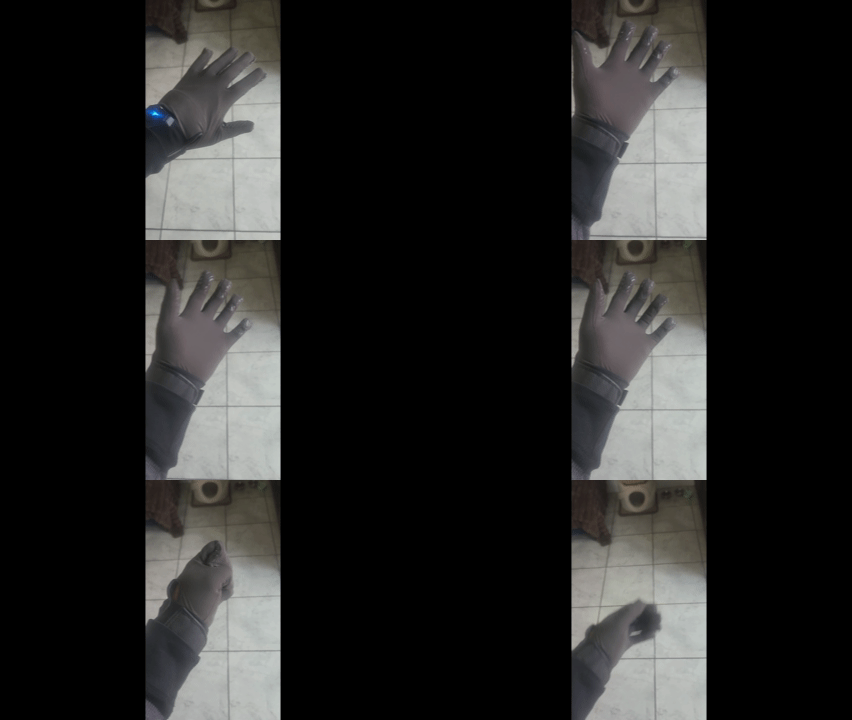
Trying on the TactGlove DK2 haptic gloves in-headset

The project brought together several parts of my design practice: XR, game design, motion, physical interaction, storytelling, and educational design. Because the final piece had to work both as a headset experience and as an exhibition project, I designed it as a system of connected touchpoints rather than a standalone VR demo.

Presenting my project at the senior grad show

Responsibilities

  • Defined the project thesis and learning goals
  • Researched XR education, haptics, and coordinated work
  • Designed the training flow and interaction structure
  • Developed 360 educational videos for context between tasks
  • Directed the visual language of the VR and exhibition experience
  • Planned physical exhibition artifacts and supporting signage

The Brief

The brief was to create a senior capstone that demonstrates a clear design thesis through a working interactive experience. I chose to focus on XR education because I believe immersive technology is strongest when it helps people rehearse experiences that are difficult, expensive, dangerous, or inaccessible in real life.

My self-directed brief became:

How might We...

Use VR to turn coordinated work from something people watch into something they can rehearse?

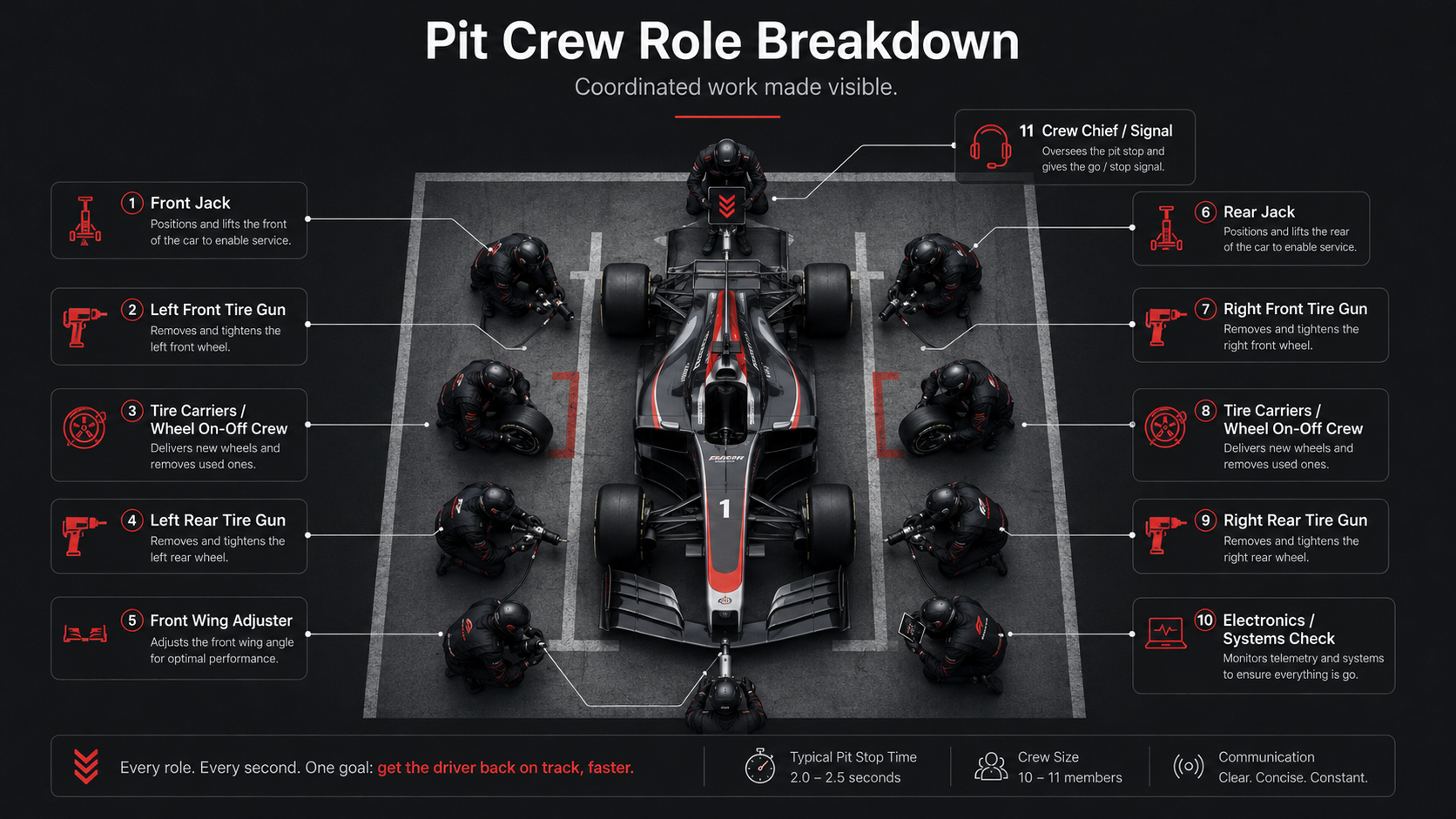
Formula 1 pit crews became the case study because they make coordinated work highly visible. A pit stop contains role responsibility, timing, tool use, communication, pressure, and system-level consequences. The challenge was not to make a racing game. The challenge was to use the emotional pull of motorsport to explore how VR can teach embodied procedural skills.

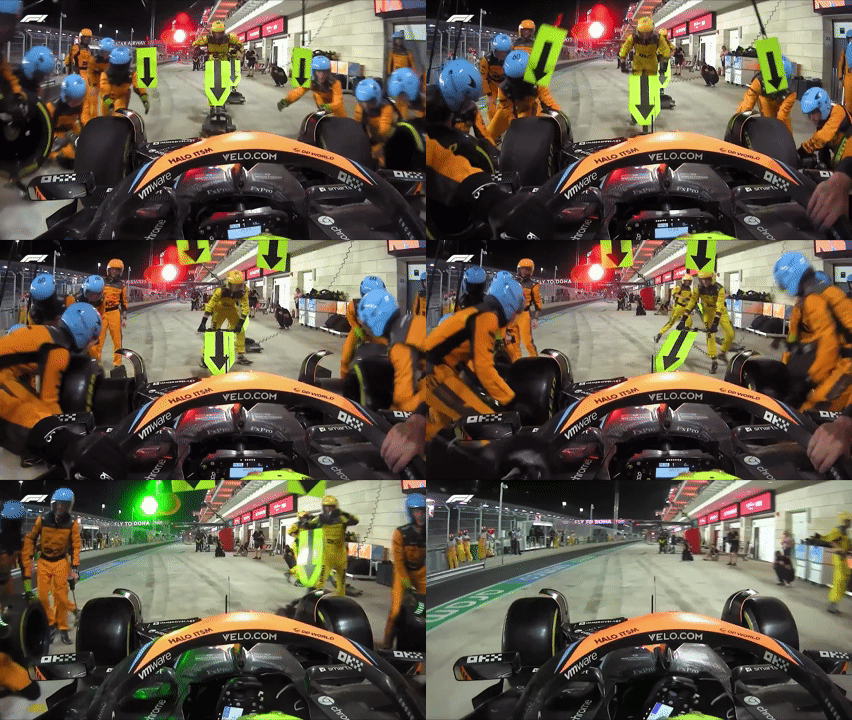
Record-breaking 1.8 second wheel change by Team McLaren

F1 is the case study. VR education is the project.

Project Challenge

Many technical skills are hard to learn through observation alone. They live in timing, sequence, pressure, feel, and feedback. Watching someone perform a task can explain what happens, but it does not always build the physical confidence needed to perform the task yourself.

The challenge was to design a VR experience that could make procedural learning feel embodied without overwhelming the learner. The project needed to balance several tensions:

Process

Research
& Framing

I began by studying where VR education makes the most sense: environments where practice is valuable but difficult to access. Operating rooms, job sites, emergency response scenarios, technical field work, and energy infrastructure all share a similar problem. Learners need repetition, but real-world practice can be expensive, risky, or logistically limited.

From there, I looked at pit crews as a visible example of coordinated procedural work. Pit stops are short, physical, role-based, and easy to understand from the outside. That made them a strong container for exploring a larger question about embodied training.

Lo-Fi Testing

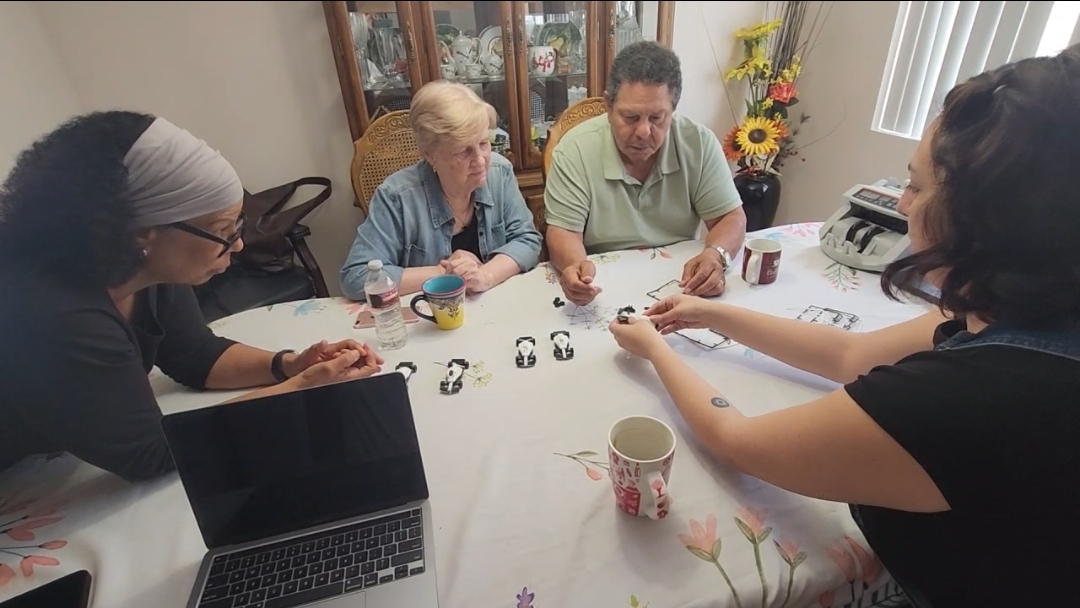
For a low fidelity test, I had four participants put together a 3D printed F1 kit card to see how people understand roles as well as receive feedback.
From early testing and observation, I learned a few things fast.

First: clarity beats realism in the first minute—if players don’t instantly know their job, they freeze.
Second: most mistakes aren’t ‘too slow,’ they’re procedural—wrong order, missing a step, or not confirming something is ‘done.’
Third: people trust feedback they can feel—strong audio and haptics make them commit to actions with more confidence.
And lastly, error recovery matters more than punishment: if you want learning, you need quick ways to reset and try again.

Defining the Learning Model

To keep the prototype focused, I reduced the experience to three universal skills:

Control
Using a tool correctly and recognizing confirmation through feedback.

Calibration
Making a small adjustment and understanding its system-wide impact.

Verification
Following a sequence, checking status, and confirming completion.

These three skills became the backbone of the experience. Each F1 task represents a larger learning pattern that can transfer beyond motorsport.

Prototype task: Tire gun

Learning pattern: Tool use, alignment, tactile confirmation

Transfer: Surgical tools, repair tools, assembly work

Prototype task: Front wing adjustment

Learning pattern: Small physical adjustments with system-wide impact

Transfer: Machine tuning, equipment setup, wind turbine maintenance

Prototype task: Electronics reset

Learning pattern: Sequence, status checks, completion confirmation

Transfer: Emergency checklists, diagnostics, safety protocols

Experience Flow

The final experience alternates between short 360 videos and guided VR interactions. The videos frame why each skill matters, while the interactions let the learner practice the skill with their body.

The structure follows a simple rhythm:

Watch → Practice → Reflect → Practice → Transfer → Verify

This helped separate the emotional layer of the project from the learning layer. The story pulls the learner in. The task teaches the skill. The recap helps the experience stick.

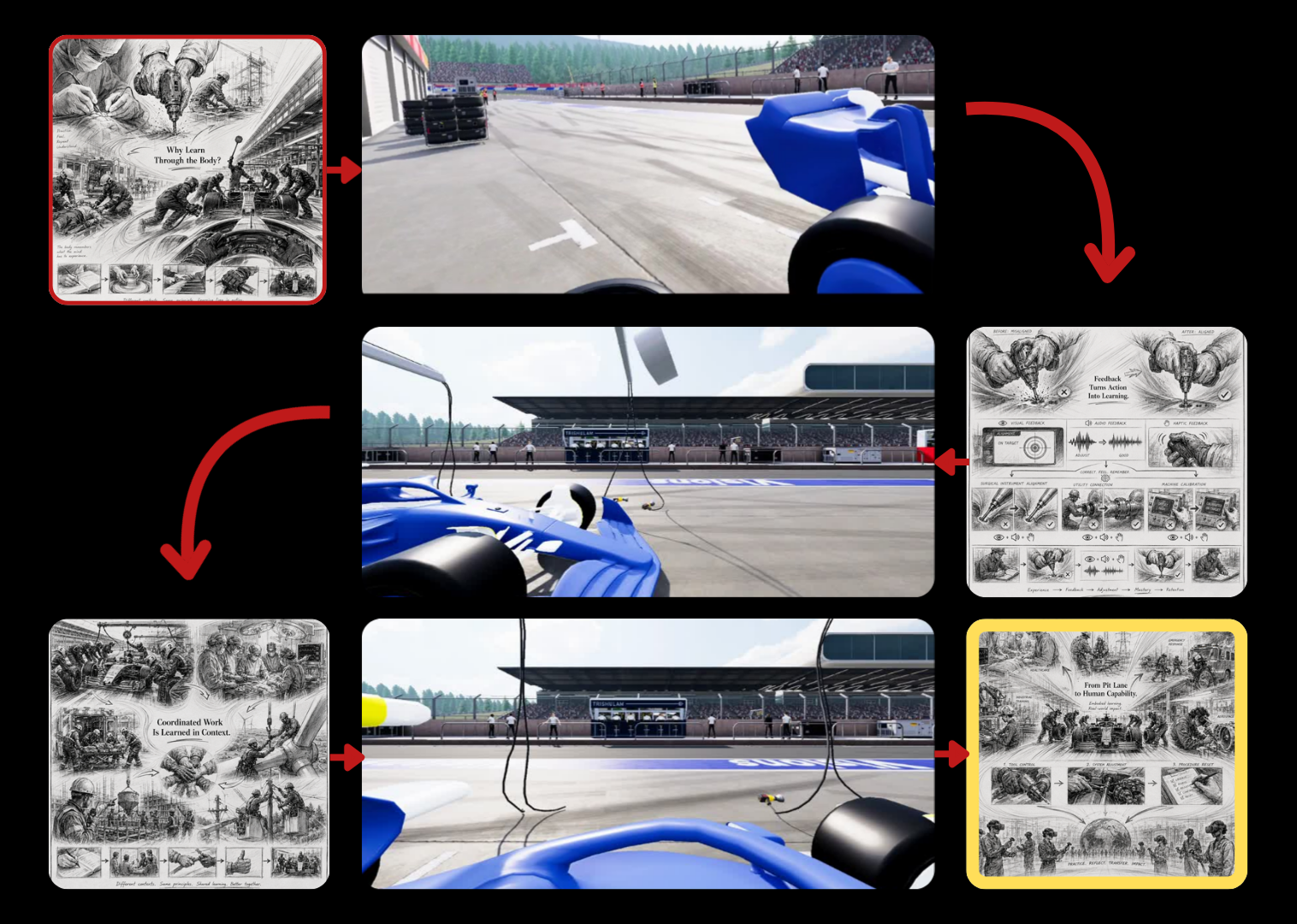
The flow goes as follows (and is visualized underneath:

  1. Intro video — why embodied learning matters
  2. Tire gun interaction — control
  3. Feedback video — motion becomes learning
  4. Front wing interaction — calibration
  5. Coordination video — tasks belong to systems
  6. Electronics reset interaction — verification
  7. Outro — recap and project thesis

Full Flow Chart

Interaction &
Haptic Design

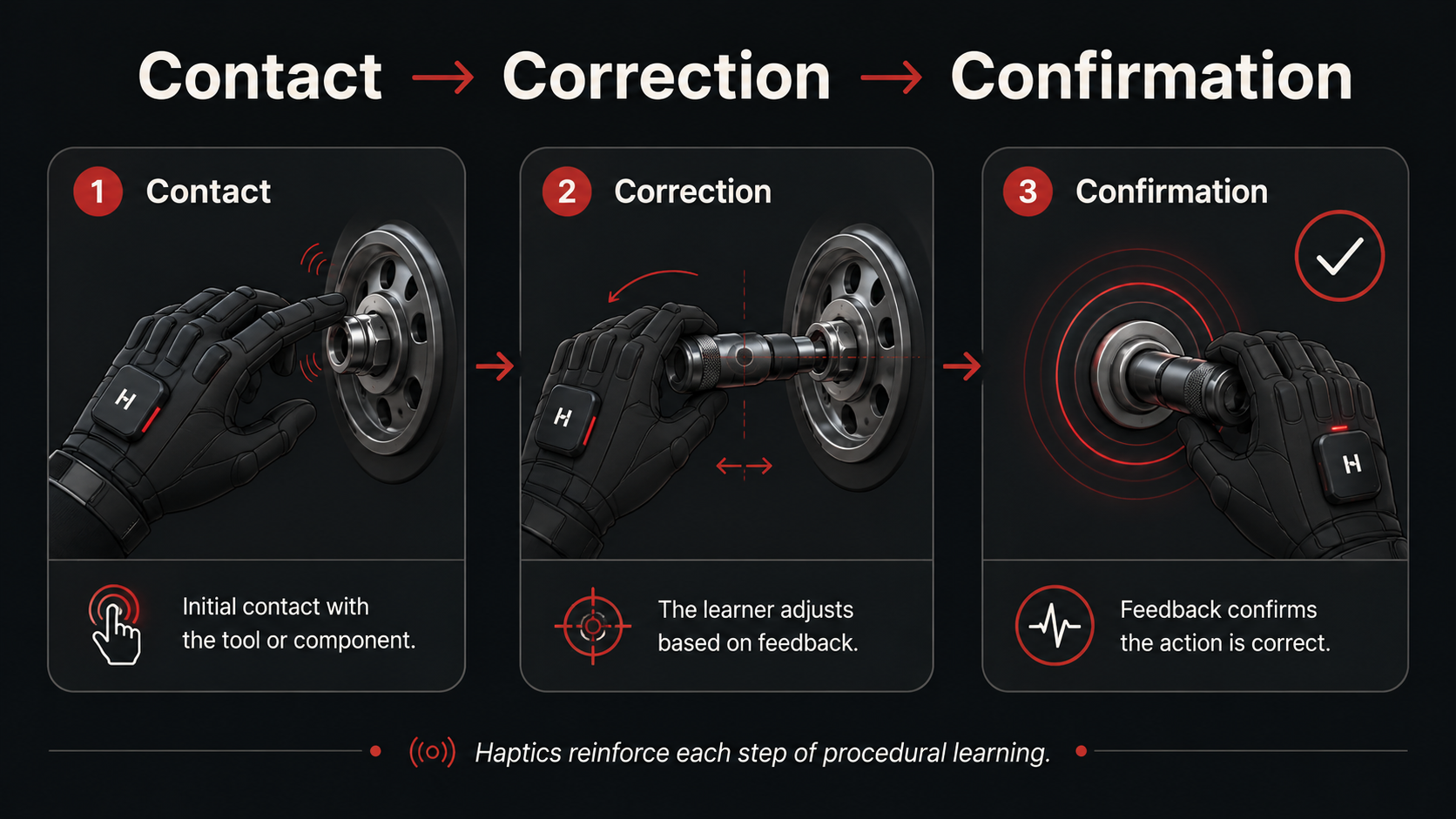
Haptics were treated as feedback, not decoration. Instead of using vibration constantly, the experience uses tactile cues at key moments: contact, alignment, confirmation, and completion.

For the tire gun task, haptics reinforce tool engagement. For the front wing, feedback supports the feeling of adjustment. For the electronics reset, tactile and audiovisual cues help confirm that the sequence has been completed.

The goal was not to perfectly recreate professional pit-crew work. The goal was to help learners understand what correctness feels like inside a simplified procedure.

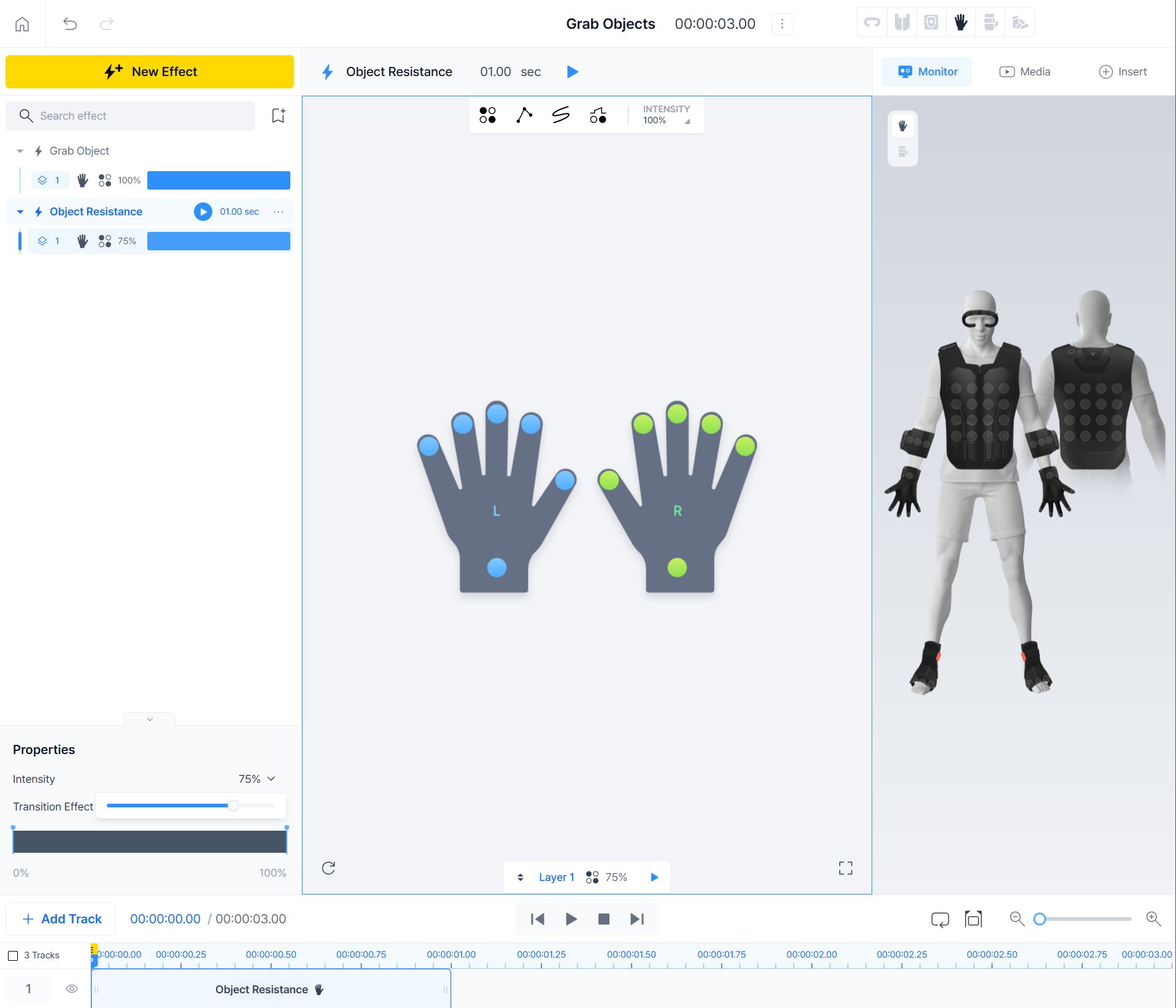
On the right is the haptic glove being tested, as well as the pattern for designed in bHaptics Designer. Below is a description of how these play out in-game.

Story & 360 Video Design

The 360 videos act as immersive learning interstitials. They are not just cutscenes. Each one introduces or reframes a learning concept before the next interaction.

The intro video explains that some skills cannot be learned by watching alone. The feedback video connects the tire gun task to multisensory learning. The coordination video zooms out from individual action to larger systems of roles, timing, and verification. The outro returns to the project’s larger thesis.

Because the videos needed to be fast and readable in VR, I designed them as spatial learning panels: main content in front, supporting examples on the sides, and atmosphere in the surrounding space.

Exhibition System

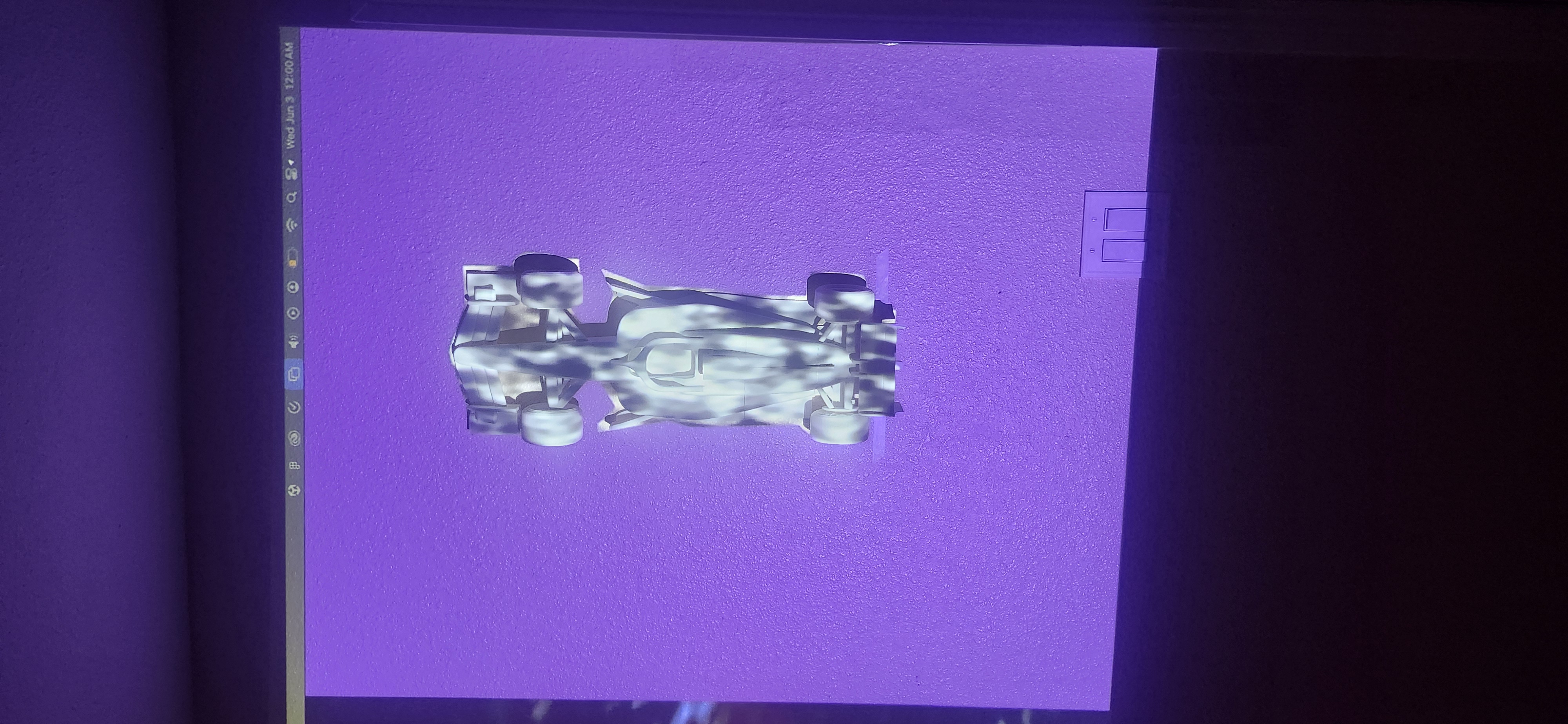
Because VR can isolate the person inside the headset, I also designed supporting exhibition elements to make the experience understandable from the outside. Physical artifacts, signage, and projected visuals help visitors understand the project even when they are not the person actively playing.

The exhibition extends the thesis beyond the headset. The model car, haptic glove display, wheel gun, trophy, and wind turbine artifact each help explain a different part of the project: emotional context, tactile learning, tool interaction, audience participation, and future applications beyond motorsport.

Results

The final result is a short haptics-centered VR training experience that uses pit-crew work to demonstrate a larger model for embodied learning. Players move through a sequence of educational videos and guided interactions, practicing control, calibration, and verification inside an F1-inspired environment.The project demonstrates how VR can make procedural learning more physical, memorable, and emotionally engaging. Rather than positioning simulation as pure realism, Feeling the Fastlane uses story, feedback, and simplified interaction to preserve the core mental model of coordinated work.


Feeling the Fastlane
is not a full professional training program. It is a keystone prototype that proves a repeatable learning loop:
Story → Guided Action → Haptic Feedback → Reflection

Reflections

Feeling the Fastlane pushed me to think about VR less as a novelty and more as a learning medium. The hardest part was balancing excitement with clarity. Formula 1 brings energy, pressure, and spectacle, but the experience only works if the learner understands what they are practicing and why it matters.

I learned that haptics are most powerful when they are intentional. Constant feedback can become noise, but targeted feedback can help a learner recognize contact, correction, and completion. I also learned that good simulation design is not about copying reality exactly. It is about preserving the right learning pattern.

This project helped me connect many parts of my practice: XR, game design, motion, storytelling, physical interaction, and education. More importantly, it clarified the kind of immersive technology I care about building. I am interested in XR that does more than impress people. I want to build experiences that help people rehearse, understand, and feel their way into new capabilities.
Prototype task: Tire gun

Learning pattern: Tool use, alignment, tactile confirmation

Transfer: Surgical tools, repair tools, assembly work

Prototype task: Front wing adjustment

Learning pattern: Small physical adjustments with system-wide impact

Transfer: Machine tuning, equipment setup, wind turbine maintenance

Prototype task: Electronics reset

Learning pattern: Sequence, status checks, completion confirmation

Transfer: Emergency checklists, diagnostics, safety protocols

works

Feeling the Fastlane

A haptics-centered VR education experience that uses Formula 1 pit-crew work to explore embodied training for coordinated, time-critical skills.

Client • 

Academic Captstone

Category • 

XR Design

Date • 

2026

Project Overview:

Feeling the Fastlane is a short VR education experience that asks how immersive technology can teach procedures through the body. Set within the world of Formula 1 pit crews, the project places learners inside a role-based training flow where they practice tool control, system calibration, and procedural verification through guided interactions, haptic feedback, and narrative context. The project uses F1 as a case study, but the larger goal is not motorsport fandom. It explores how VR can support high-risk, hard-to-access training environments where learners need safe repetition, immediate feedback, and a stronger sense of what correct action feels like.

My Role

Interaction Designer, XR Experience Designer

Duration

6 Months

Project Context

This project was developed as my senior capstone in Interaction Design. As the solo designer, I was responsible for the concept, research framing, interaction design, learning structure, visual direction, storytelling, exhibition planning, and prototype development.

Trying on the TactGlove DK2 haptic gloves in-headset

The project brought together several parts of my design practice: XR, game design, motion, physical interaction, storytelling, and educational design. Because the final piece had to work both as a headset experience and as an exhibition project, I designed it as a system of connected touchpoints rather than a standalone VR demo.

Presenting my project at the senior grad show

How might We...

design a game that tests players abilities to navigate cross-cultural communication through different scenarios?

Research Methods

To further solidify our understanding of intercultural communication and how games could possibly be used as a medium for addressing the friction that it caused in a more focused product, we underwent using research methods such as: mind mapping, insight sorting, and from-to exploration. ‍

With the team also performing competitive analyses on games (the most informative of which will be mentioned below), we were also able to develop a matrix that compared how games created decision-experiences to more clearly understand how we wanted to represent Bridge to Kultur (as well as discover how it would play).

Making the game

Game Narrative

At the heart of Bridge to Kultur is a world fractured by history, scarcity, and cultural divergence. Rather than casting players as conquerors or traders, the narrative invites them to step into the roles of diplomats. Individuals tasked with navigating trust, survival, and identity in a land on the brink of collapse.

Each of the four nations—Fire, Water, Earth, and Air—possesses its own worldview, aesthetic, and moral compass. Through branching scenarios, faction-based dilemmas, and evolving trust dynamics, the narrative challenges players not only to survive a looming Calamity, but to wrestle with the social and political costs of doing so. This isn't just a story players observe, but one that they co-author with every scenario they encounter, every alliance they build, and every bridge they dare—or refuse—to cross.

System Design

Creating the mechanics for Bridge to Kultur meant balancing narrative depth with strategic clarity. From the start, our goal was to design a system that encouraged meaningful choices, personal agency, and diplomatic tension—while staying intuitive enough to support both analog and digital components. The mechanics evolved through multiple iterations, each one bringing us closer to a structure that supports individual storytelling within a shared world. As someone who has been playing games for as long as they can remember, having the opportunity to design the mechanics and flow of the game was an exciting and complex challenge for me.

Prototype task: Tire gun

Learning pattern: Tool use, alignment, tactile confirmation

Transfer: Surgical tools, repair tools, assembly work

Prototype task: Front wing adjustment

Learning pattern: Small physical adjustments with system-wide impact

Transfer: Machine tuning, equipment setup, wind turbine maintenance

Prototype task: Electronics reset

Learning pattern: Sequence, status checks, completion confirmation

Transfer: Emergency checklists, diagnostics, safety protocols

Product Concept Sketching

Haptics were treated as feedback, not decoration. Instead of using vibration constantly, the experience uses tactile cues at key moments: contact, alignment, confirmation, and completion. For the tire gun task, haptics reinforce tool engagement. For the front wing, feedback supports the feeling of adjustment. For the electronics reset, tactile and audiovisual cues help confirm that the sequence has been completed. The goal was not to perfectly recreate professional pit-crew work. The goal was to help learners understand what correctness feels like inside a simplified procedure.

Prototyping

Physical Components

Because VR can isolate the person inside the headset, I also designed supporting exhibition elements to make the experience understandable from the outside. Physical artifacts, signage, and projected visuals help visitors understand the project even when they are not the person actively playing.

The exhibition extends the thesis beyond the headset. The model car, haptic glove display, wheel gun, trophy, and wind turbine artifact each help explain a different part of the project: emotional context, tactile learning, tool interaction, audience participation, and future applications beyond motorsport.

Digital Component

The 360 videos act as immersive learning interstitials. They are not just cutscenes. Each one introduces or reframes a learning concept before the next interaction.

The intro video explains that some skills cannot be learned by watching alone. The feedback video connects the tire gun task to multisensory learning. The coordination video zooms out from individual action to larger systems of roles, timing, and verification. The outro returns to the project’s larger thesis.

Because the videos needed to be fast and readable in VR, I designed them as spatial learning panels: main content in front, supporting examples on the sides, and atmosphere in the surrounding space.

User Testing

Because VR can isolate the person inside the headset, I also designed supporting exhibition elements to make the experience understandable from the outside. Physical artifacts, signage, and projected visuals help visitors understand the project even when they are not the person actively playing.

The exhibition extends the thesis beyond the headset. The model car, haptic glove display, wheel gun, trophy, and wind turbine artifact each help explain a different part of the project: emotional context, tactile learning, tool interaction, audience participation, and future applications beyond motorsport.

Final Product

The 360 videos act as immersive learning interstitials. They are not just cutscenes. Each one introduces or reframes a learning concept before the next interaction.

The intro video explains that some skills cannot be learned by watching alone. The feedback video connects the tire gun task to multisensory learning. The coordination video zooms out from individual action to larger systems of roles, timing, and verification. The outro returns to the project’s larger thesis.

Because the videos needed to be fast and readable in VR, I designed them as spatial learning panels: main content in front, supporting examples on the sides, and atmosphere in the surrounding space.

Digital Demo Experience

Game On

Sign-In Screen.pngGIF - Sign in.gif
Main Menu.pngGIF - Main Menu.gif
Order a Casey.pngGIF - Order Casey.gif
Scan to Activate Casey.pngGIF - Scan to Open.gif
In-Trip Functions (Pause Trip).pngGIF - InTrip Functions Pause.gif
In-Trip Functions (Open Casey).pngGIF - InTrip Functions Open Casey.gif
In-Trip Functions (Adjust Temp).pngGIF - In Trip Functions Adjust Temp.gif
Add a Stop to Trip.pngGIF - Add a Stop.gif
GIF - Complete Trip.gifTrip Complete!.png

Reflections

Feeling the Fastlane pushed me to think about VR less as a novelty and more as a learning medium. The hardest part was balancing excitement with clarity. Formula 1 brings energy, pressure, and spectacle, but the experience only works if the learner understands what they are practicing and why it matters.

I learned that haptics are most powerful when they are intentional. Constant feedback can become noise, but targeted feedback can help a learner recognize contact, correction, and completion. I also learned that good simulation design is not about copying reality exactly. It is about preserving the right learning pattern.

This project helped me connect many parts of my practice: XR, game design, motion, storytelling, physical interaction, and education. More importantly, it clarified the kind of immersive technology I care about building. I am interested in XR that does more than impress people. I want to build experiences that help people rehearse, understand, and feel their way into new capabilities.